Groups
Placing every object by absolute coordinate is tedious and brittle. Interior design is inherently relational — “the chairs go around the table”, “the desks form a grid”, “the nightstands sit beside the bed”. IDSDL captures this with groups: spatial abstractions that take high-level placement intent and resolve it into concrete coordinates.
Your first group
Every group is a Python context manager. Inside the block you declare placements; you never compute positions:
with scene.RelativeGroup() as seating:
    sofa  = scene.AddAsset("a modern gray sofa")
    table = scene.AddAsset("a wooden coffee table")
    seating.set_anchor(sofa)
    seating.place_on_front(table)
# <- the group compiles here, when the `with` block closes
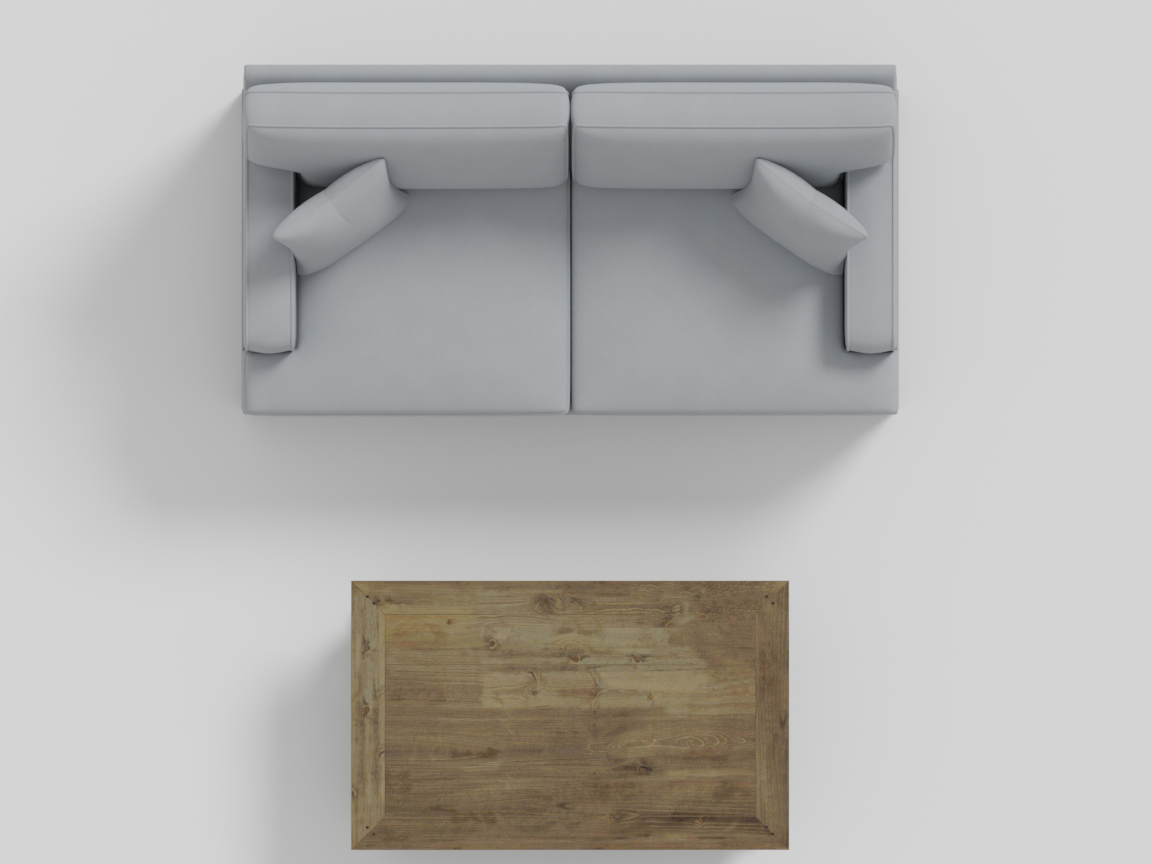
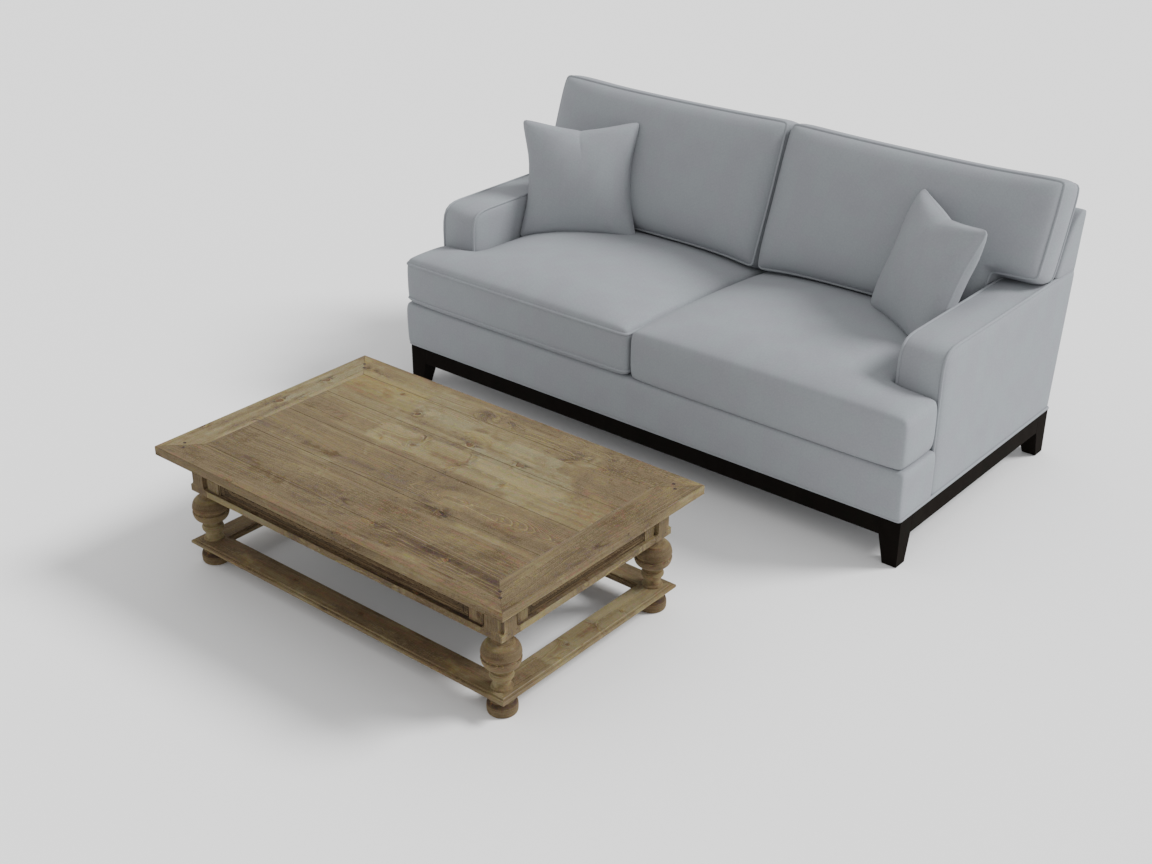
The group this snippet builds: the coffee table lands in front of the sofa, and the compiled pair now moves as one unit.
The placement calls are recorded, not executed. When the block exits, the group compiles — placements replay in a sensible order, child groups compile first, the optimizer resolves overlaps — and then freezes into a single rigid unit that behaves like one object: it has its own bounding box, can be rotated and placed, and can be handed to another group as if it were a single asset. That lifecycle (and the hierarchies it enables) is illustrated step by step in Hierarchical Layout & Parent–Child Relationships.
Choosing a group
Ask one question: what does the arrangement relate to?
- Everything relates to one object (“beside the bed”, “on the sideboard”) → RelativeGroup, and that object is the anchor.
- Everything surrounds one object (“chairs around the table”) → AroundGroup — also anchored, but placement wraps the anchor.
- The objects form a pattern among themselves (“rows of desks”) — no anchor → GridGroup, which arranges around its own center.
- The arrangement is the room itself — walls, doors, named floor and wall positions → RoomGroup, the top-level container everything else lands in.
| Group | Purpose | Key methods |
|---|---|---|
| RelativeGroup | Place objects relative to an anchor (in front of, beside, behind, on top of). | set_anchor, place_on_front/left/right/back, place_on_*_further, place_on_top, place_rug |
| AroundGroup | Arrange objects around an anchor — rings, circles, arcs. | set_anchor, place_rectilinear, place_circle, place_arc |
| GridGroup | Arrange objects in regular patterns — rows, grids, borders, arcs. | place_row, place_grid, place_rectilinear, place_arc |
| RoomGroup | The top-level container — a room with walls, grid positions, and wall-mounted objects. | place_on_center/back/front/..., place_on_*_wall_*, place_walls, place_door, place_window_* |
Beyond the four
The core four are just the vocabulary the language ships with. IDSDL is designed to grow new groups, and it has grown them three different ways:
- A hand-built group that wraps another tool — SentenceASCIIGenerator lays out copies of an object in the shape of text, with a well-prompted language model drawing the glyphs underneath.
- Groups the agent wrote itself — the motif groups (stacks, pyramids, piles, symmetric pairs, facing rows, concentric rings) were authored by the coding agent following the repo’s
add-placement-groupskill. - Groups built with a human in the loop — richer composites like
MirrorStationGroup,WorkstationGroup, andKitchenIslandGroup, created when specific scenes needed arrangements that carry real design judgment.
Every route ends in the same place: a first-class group with the same lifecycle, knobs, and constraint hooks as the core four. Extending the Language tells the full story.
Natural variation: sparsity, randomness, jitter
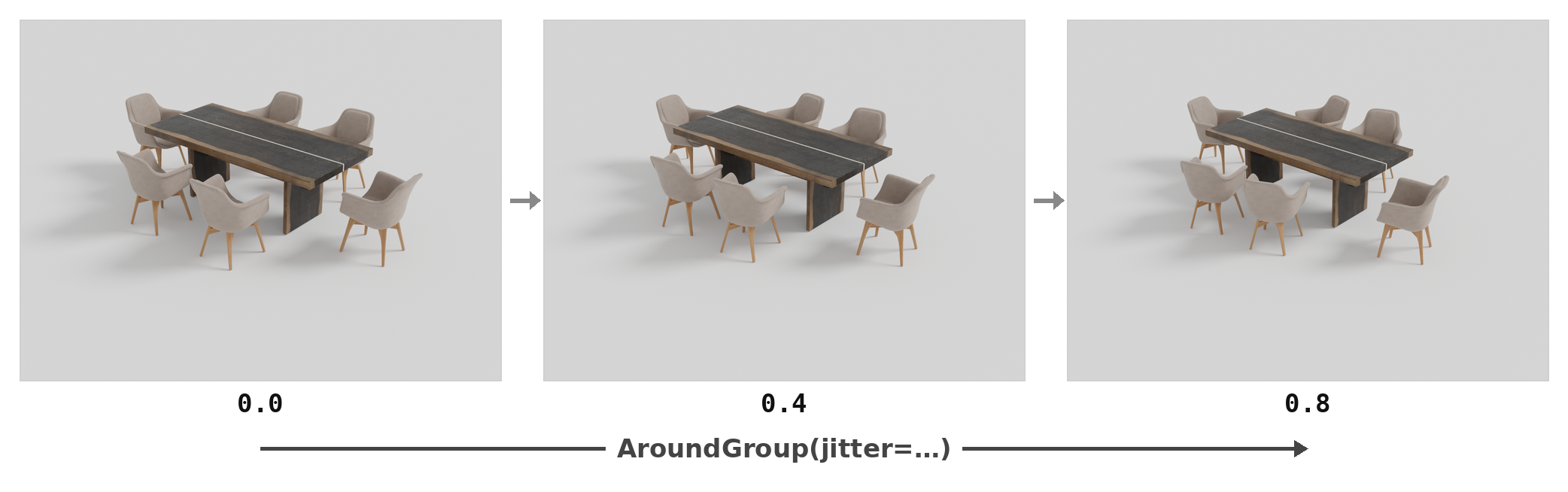
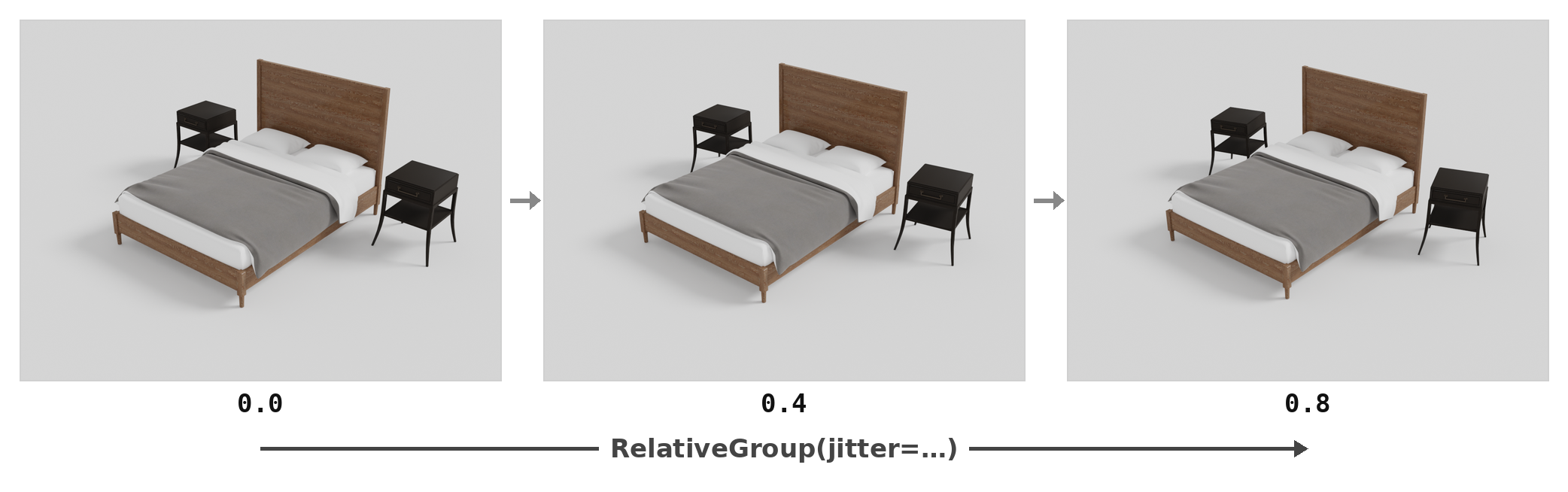
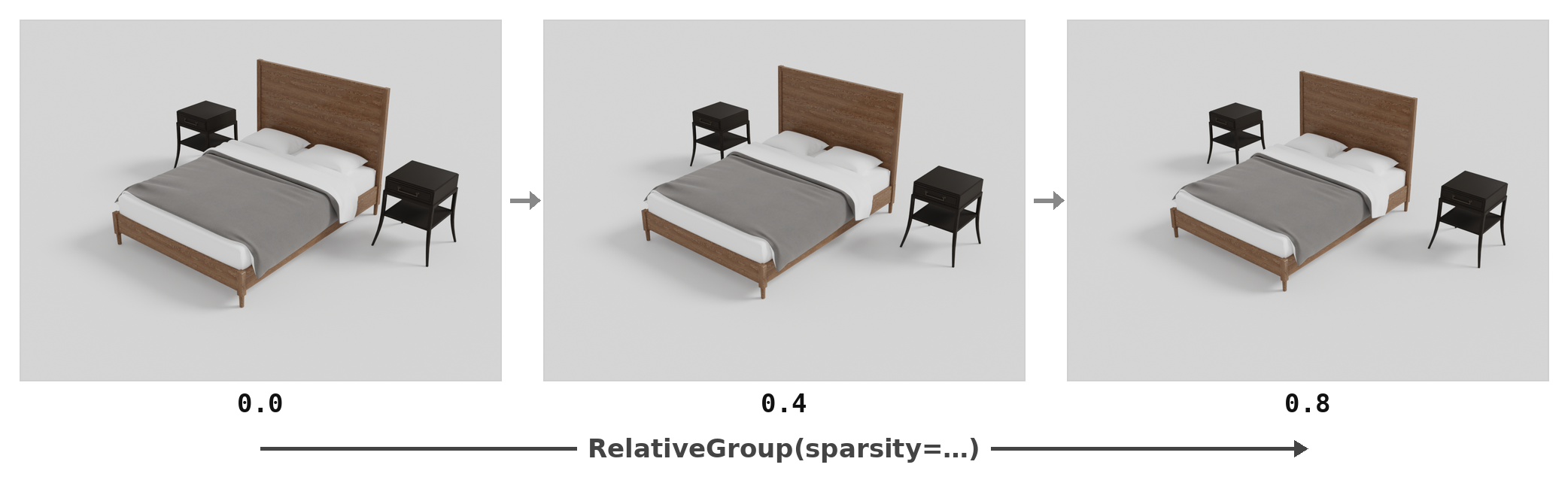
Every layout group takes two dials, both in [0, 1], both deterministic under the scene seed: sparsity opens up the spacing, and jitter (called randomness on GridGroup/RoomGroup) perturbs position and facing. The 0.0 defaults reproduce the exact deterministic layout, so both are strictly opt-in — and each group applies them within its own contract (a SymmetryGroup pair jitters mirrored — both twins move by the same mirrored draw, staying exactly symmetric about the anchor; stacked crates only slide within the footprint below, a pile ignores jitter; the gradient-solving groups repair any overlap the jitter introduces). The same seeded scene, with only the dial changing:
jitter buys the lived-in, pulled-out-chair look — positions and facing loosen, the arrangement stays a dining table:
The same dial on a RelativeGroup bedroom — the bed keeps its two nightstands at the headboard corners (place_on_back_left / place_on_back_right), but each one slides in its slot and turns off square:
sparsity buys space — 0 is the group’s tightest packing, higher values step every placement further out. The same bedroom, sweeping sparsity instead:
and on a GridGroup classroom it opens the aisles:
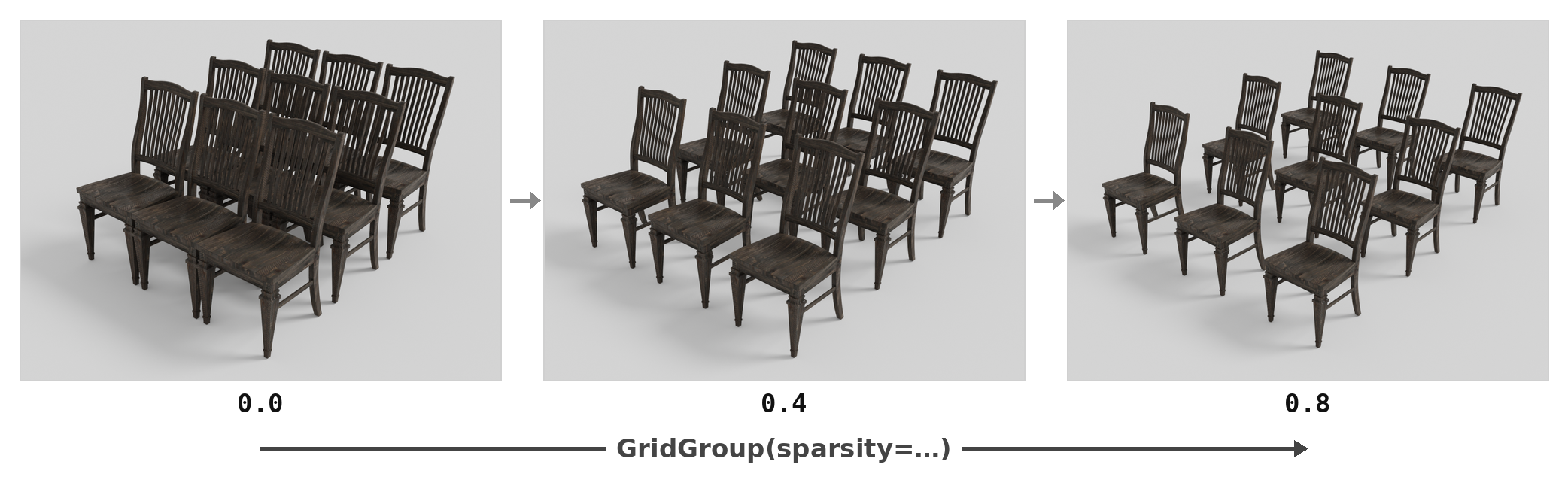
Each layout-group page shows its own configuration swept across these dials, so you can see exactly what each value buys you.
Next: start with RelativeGroup — the anchor concept it introduces carries through every other group page.