Object Registration
The very first thing we need in our scenes is objects. IDSDL provides an intuitive natural language interface for adding objects to a scene. Let’s start by adding a simple sofa.
But first, we need to initialize the scene.
from IDSDL.scene import SceneProgRoom
scene = SceneProgRoom("test_room", seed=7)
Next, add the sofa.
sofa = scene.AddAsset("a modern gray sofa")
Loose assets (ones not placed through a group) must be registered with the scene before they appear when the scene is compiled and exported. Groups handle this for their members automatically; for a bare object you call bind:
scene.bind(sofa)
scene.export("test-scene.blend")
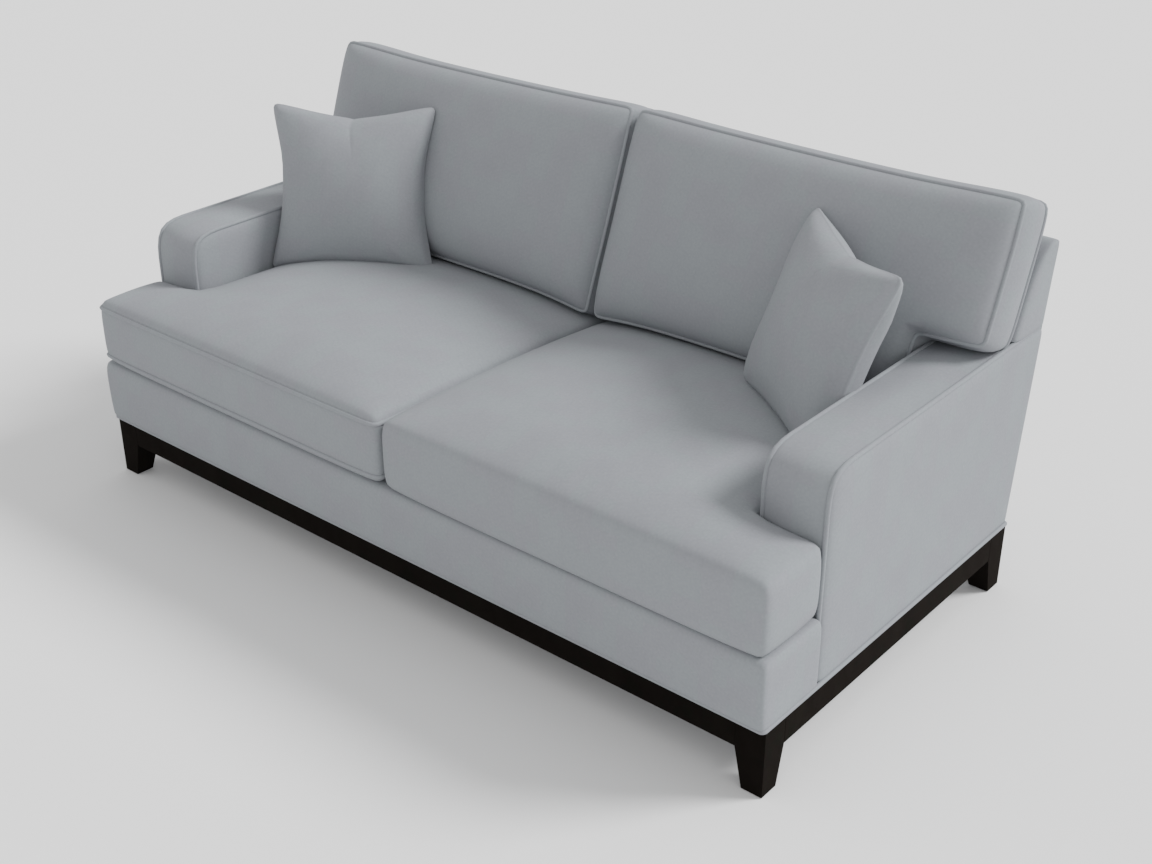
Retrieval is seeded: the seed passed to the scene makes every description resolve to the same mesh on every run. When you want one specific audited mesh, pin it directly — AddAsset(..., asset_id="hssd/<id>") bypasses the selection entirely.
One thing to know about retrieved meshes: they come from real 3D datasets, and some ship with modeled details of their own — a sofa with throw pillows, a table with a decorative tray. Your program controls which meshes appear and where; the meshes themselves bring their geometry. If a built-in detail bothers you, pin a different asset with asset_id.
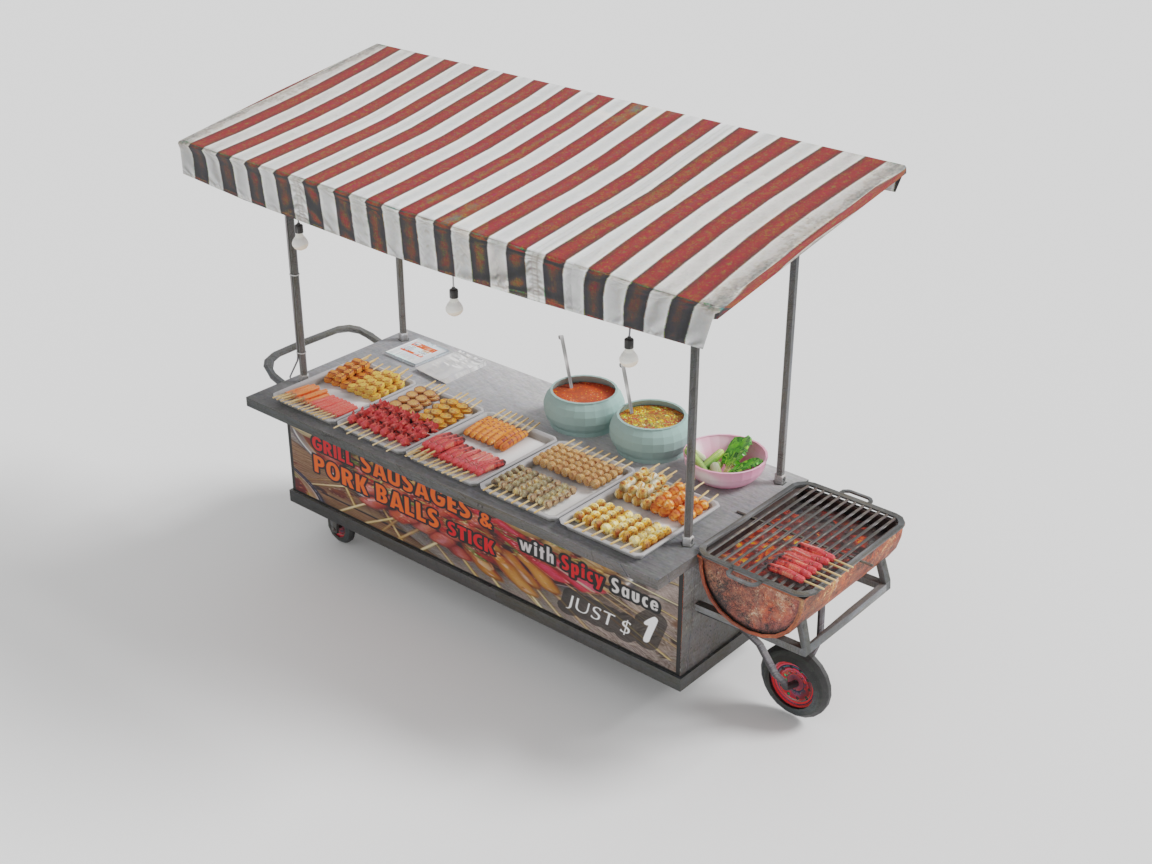
Objects can also be retrieved from your own collections by providing custom retrieval logic. Consider the following example, which serves a street-food cart from a local GLB file:
class FoodCartRetriever(SceneProgAssetRetrieverBase):
    def __init__(self):
        super().__init__()
        self.name = "FoodCartRetriever"
        self.description = """
Retrieves a street food cart
"""
        self.examples = """
1. A street food cart with a striped awning
"""
        self.path = os.path.join(os.path.dirname(__file__), "assets/food_cart.glb")

    def __call__(self, query: str) -> tuple[str, float]:
        return self.path, 1.8
Here, IDSDL uses the attributes name, description, and most importantly examples to determine when to call this retriever. To equip IDSDL with the ability to retrieve assets using custom logic, we simply inherit from SceneProgAssetRetrieverBase and implement the __call__() function. This function accepts a natural language query and returns the PATH of the asset along with its width. These are then automatically used by IDSDL to correctly register the asset.
cart = scene.AddAsset("a street food cart with a striped awning")
For batch-ingesting whole folders of GLBs into the retrieval pool (with previews and dimensions), see the ingest_glbs tool in the MCP Quickstart.
Objects in IDSDL are not merely polygonal meshes. They are powerful programmable objects that expose several functions useful for scene generation.
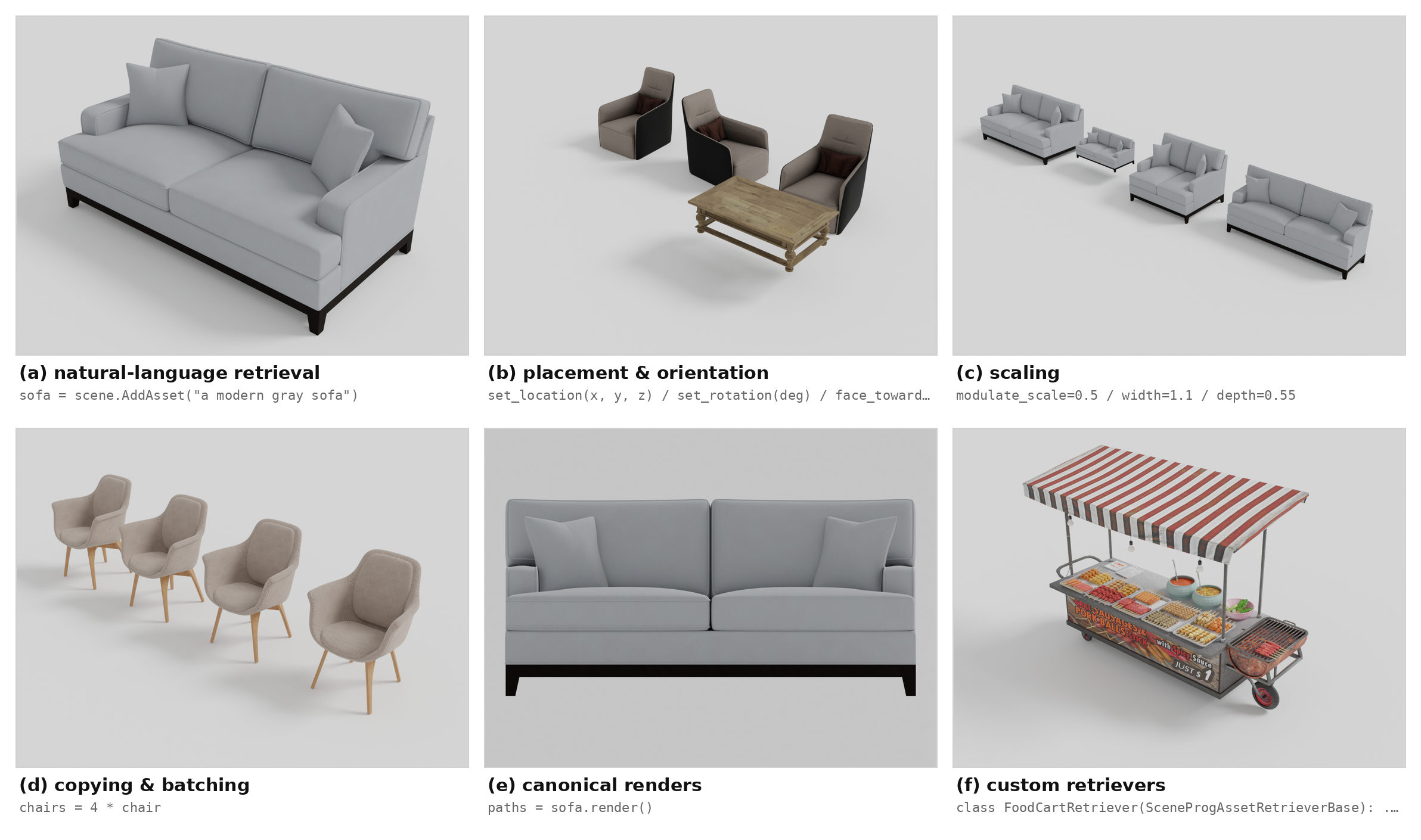
Each asset registered with the scene comes with its own local coordinate system and can be placed in the scene by specifying its coordinates with respect to the global coordinate frame.
sofa.set_location(1, 0, 1)
chair.set_location(0, 0, 1)
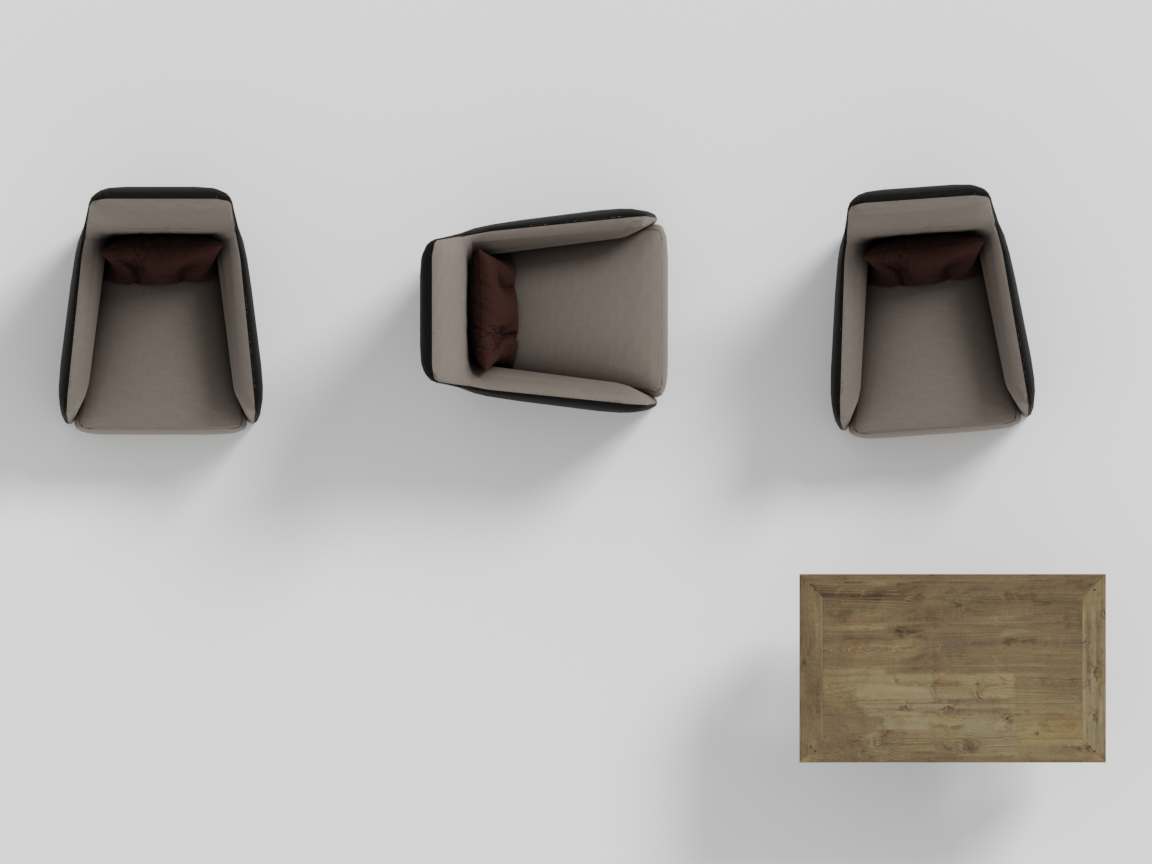
Their orientations can be specified either by setting a yaw angle or by making them face another object or wall.
chair.set_rotation(45)      # global orientation, degrees about the up axis
chair.face_towards(sofa)    # relative orientation to face the sofa
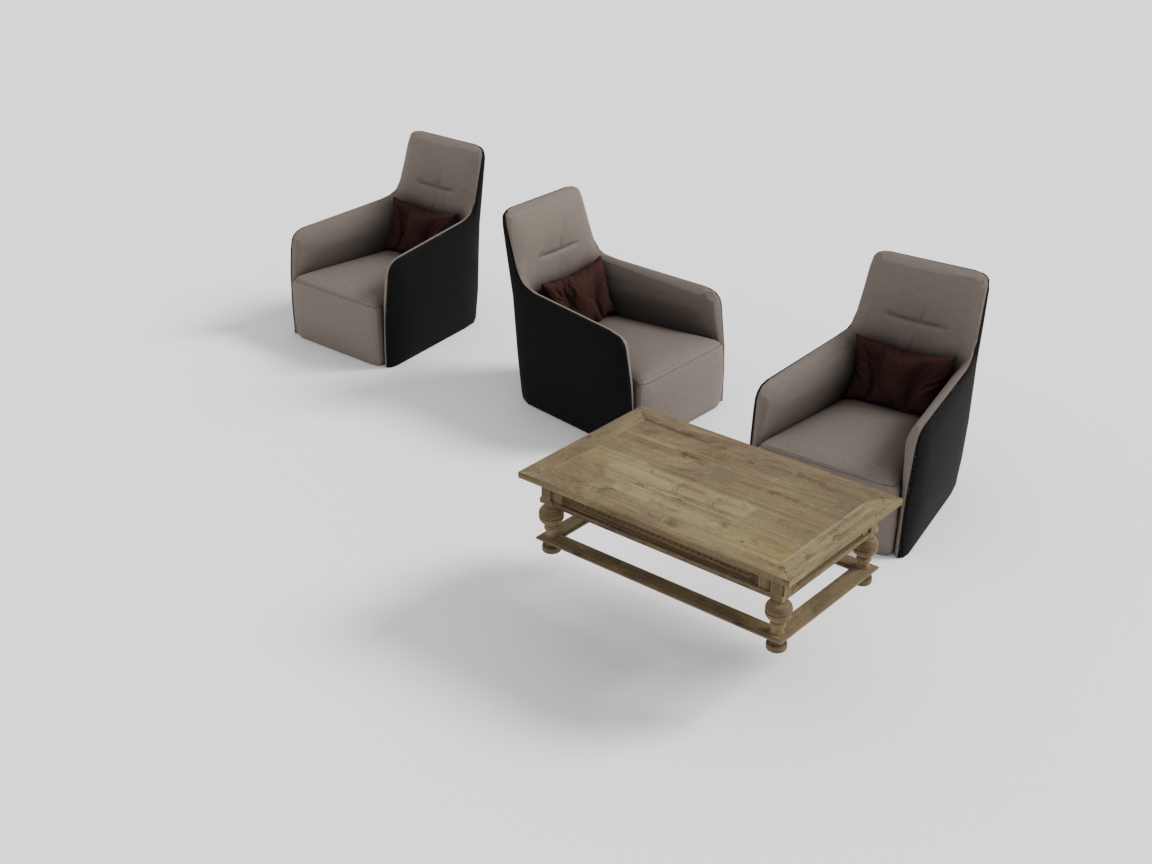
From left to right below: a chair in its default orientation, one rotated with set_rotation(90), and one using face_towards(table) to turn toward the small table.
While adding assets, we can also optionally enforce a particular scale.
sofa = scene.AddAsset("a modern gray sofa", modulate_scale=0.5) # scale entire object uniformly
sofa = scene.AddAsset("a modern gray sofa", width=1.1)          # scale just the width, in metres
sofa = scene.AddAsset("a modern gray sofa", depth=0.55)         # scale just the depth, in metres
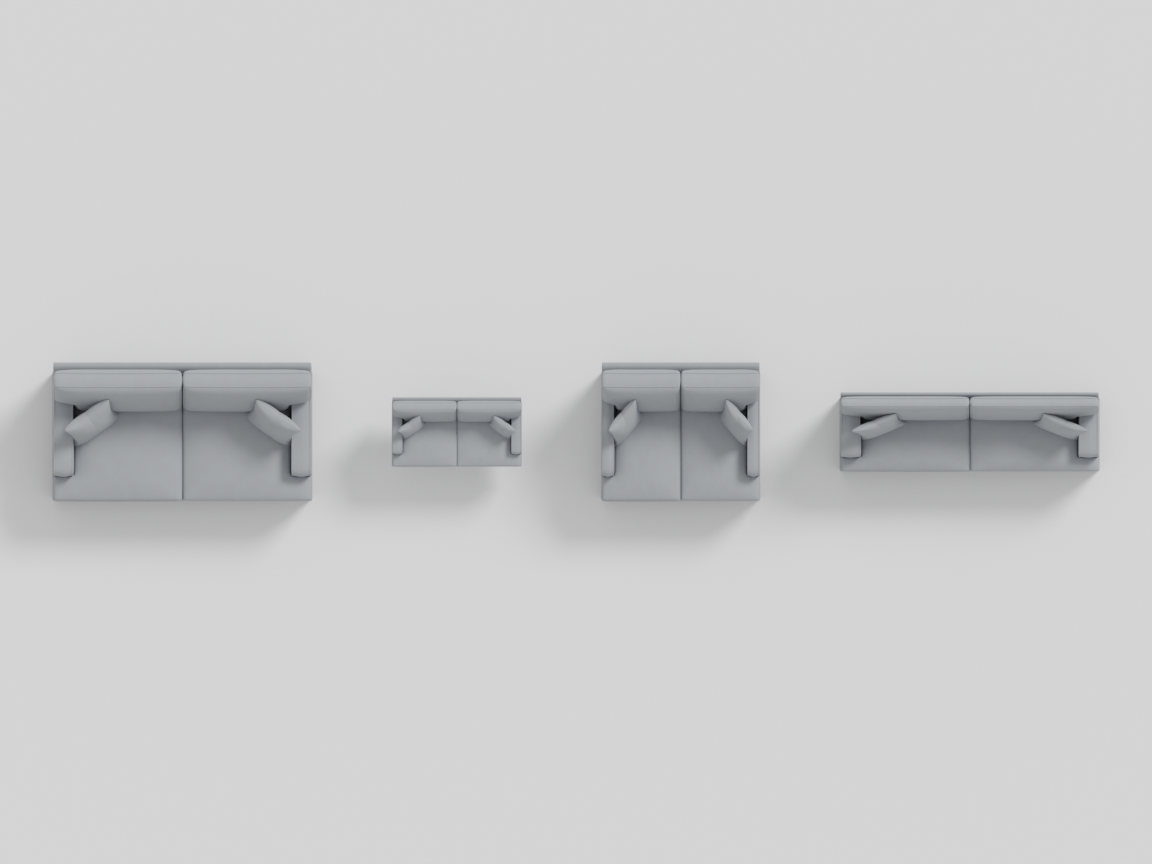
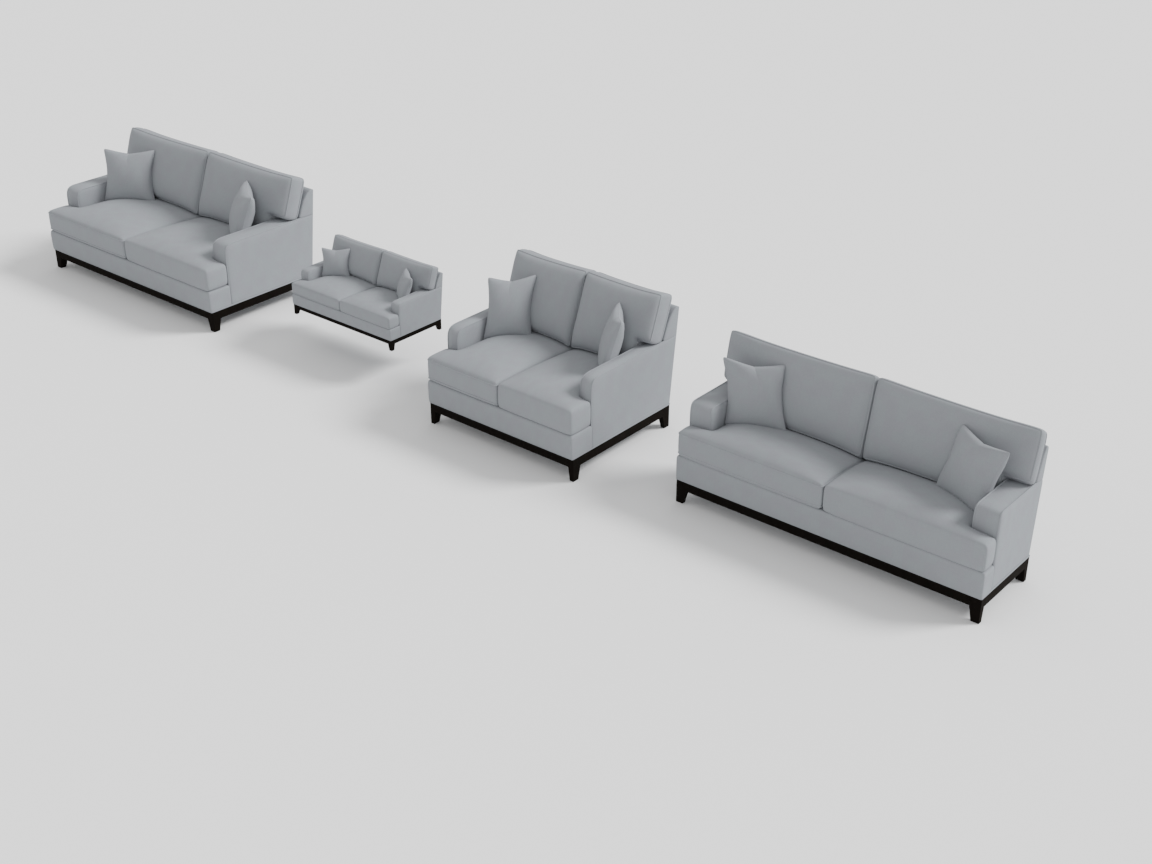
The following figure shows the sofa with default scale, modulated scale, width-only scaling, and depth-only scaling.
Assets can also be passed as input parameters into functions for placement and constraint evaluation.
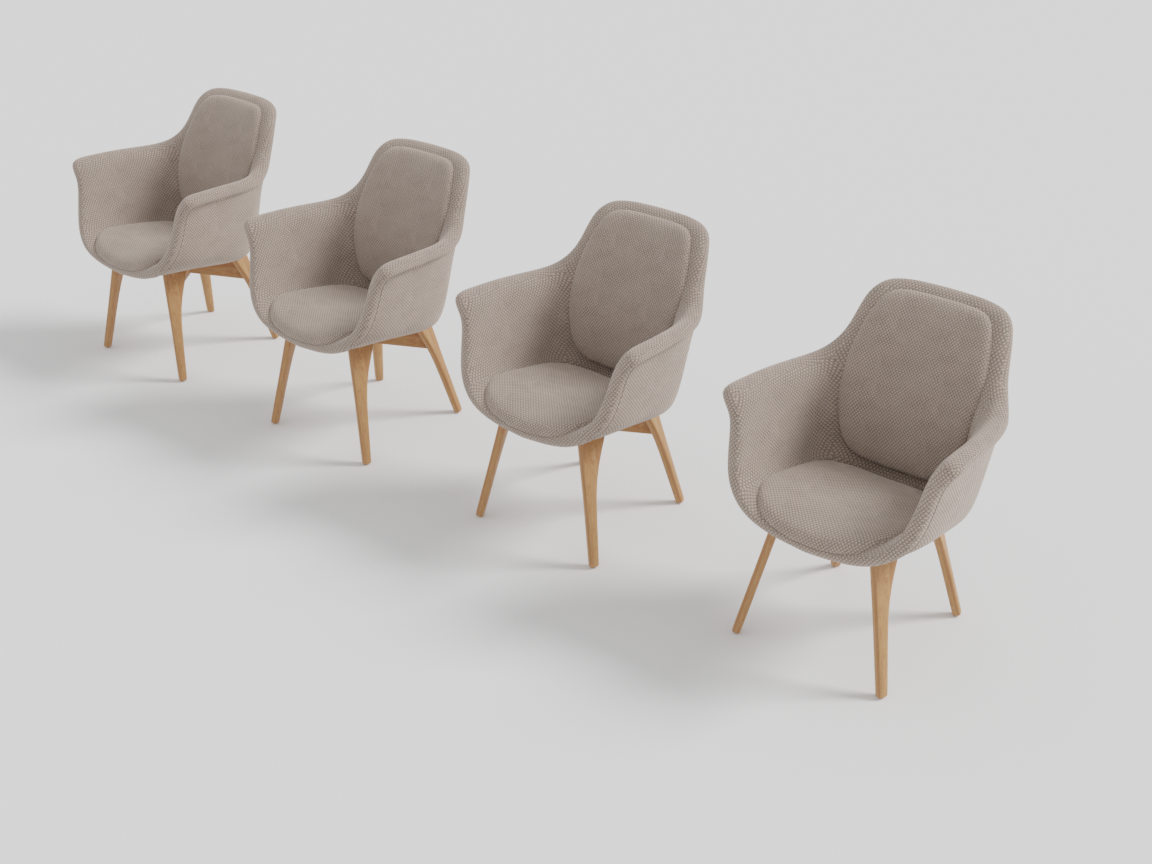
Often, we need to place multiple assets of the same type. IDSDL provides a simple copy mechanism for this.
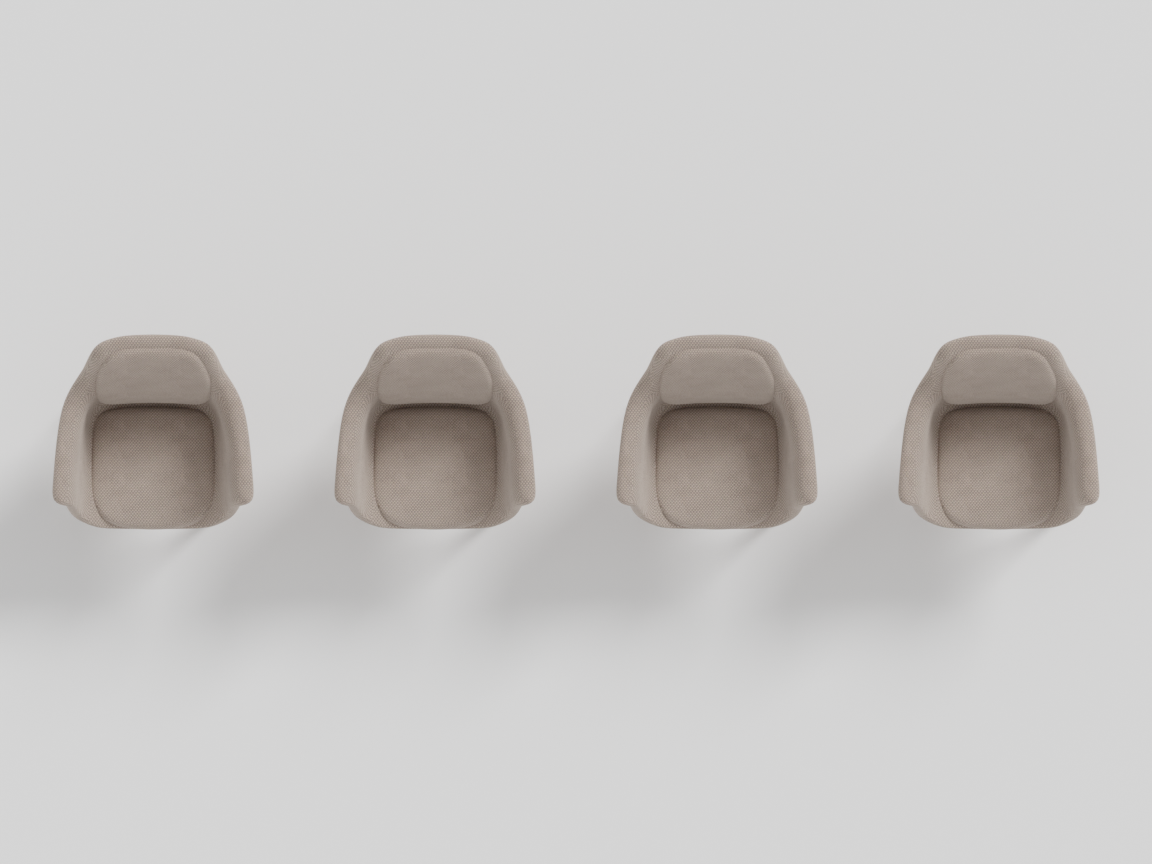
chairs = 4 * chair
print(len(chairs))
>>> 4
Here, * is used to copy the object geometry without increasing memory requirements, enabling the creation of large-scale scenes with repeated assets.
Additionally, we can compute geometric quantities such as AABBs, intersections, and overlaps.
aabb = sofa.get_aabb()
print(aabb)
>>> [[0,0,0],
    [1,1,1]]
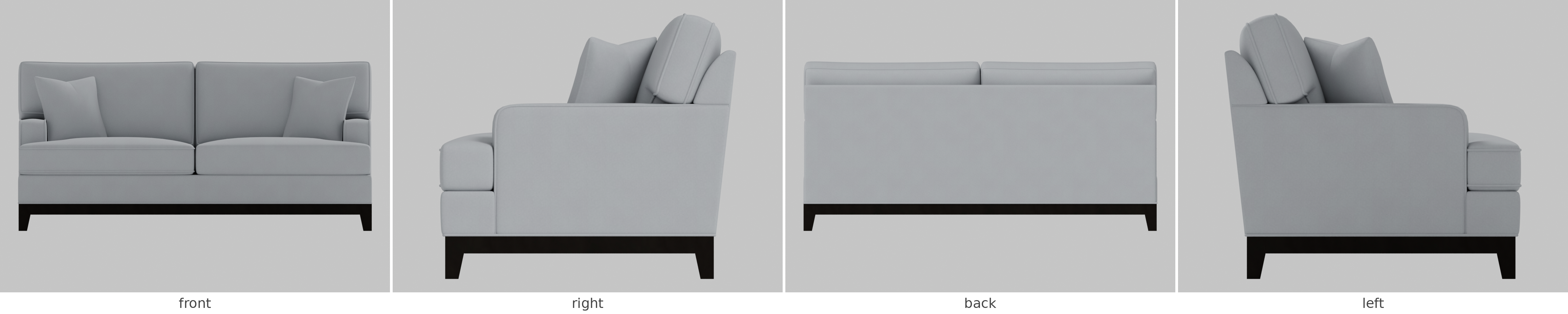
These can be used to define geometric constraints. We can also render objects from canonical viewpoints to support the construction of VLM-based constraints. In IDSDL, this is achieved via a simple render() routine.
path = sofa.render()
Here, path points to image renders of the object from the front, right, back, and left sides.
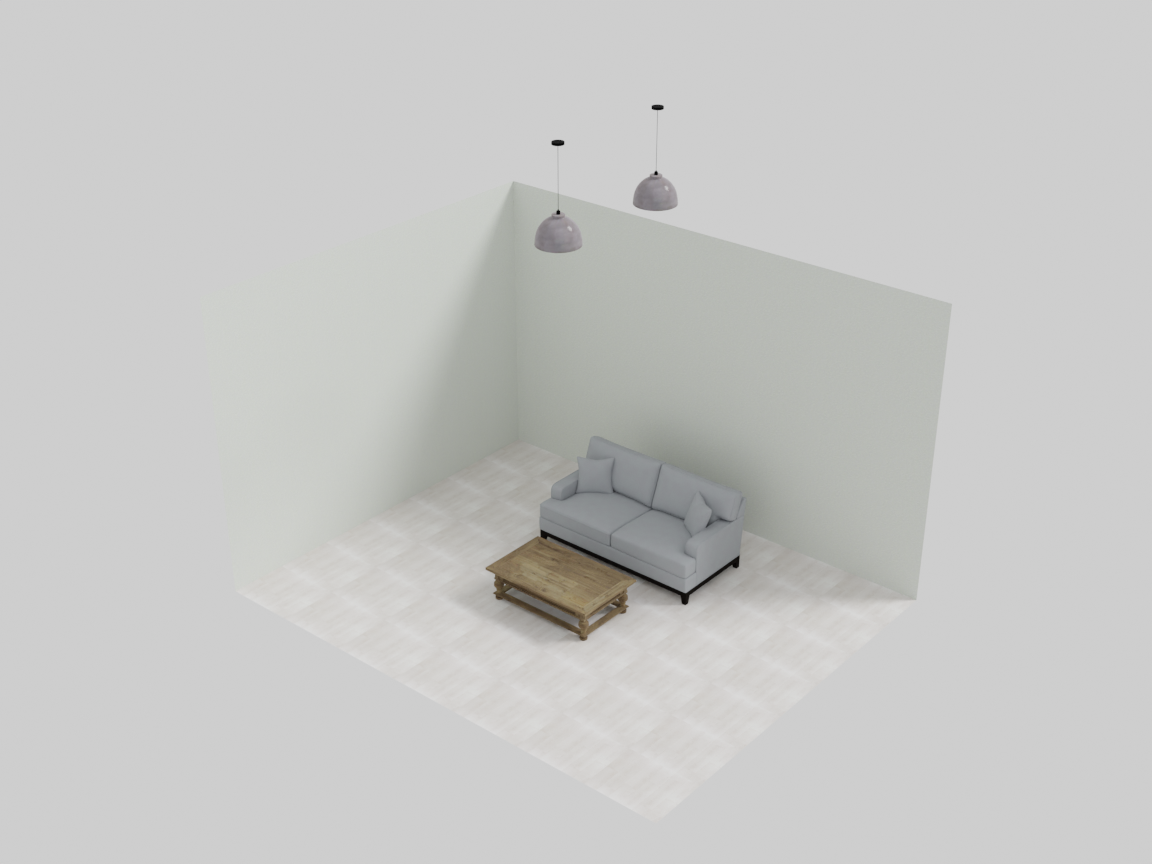
Lastly, interior designers often add lighting specific to an object or object group. This can be enabled using the add_lighting() routine — it works on any object, group, or room, and hangs its fixtures from the ceiling, centred over whatever you called it on.
room.add_lighting(desc="a simple pendant light", density=0.4)
Here, desc is used to retrieve a light source based on its natural language description, while density is a floating-point value between 0 and 1 that controls how densely lights should be placed over the caller’s footprint. A value of 0 corresponds roughly to a single light source, while 1 corresponds to many lights distributed across the area. The exact number of lights is automatically determined by IDSDL. (One subtlety: density is measured relative to the fixture’s own footprint — see Beyond the Basics.)
The natural companion to lighting is place_rug(...) — the other verb that dresses an arrangement rather than positioning an object. Rugs belong to anchored groups, so they are covered with the other cluster-dressing verbs on the RelativeGroup page.
API reference
Methods available on every registered object (SceneProgObject).
Creation — scene.AddAsset(...)
| Parameter | Type | Default | Description |
|---|---|---|---|
description | str | required | Natural-language description used to retrieve a matching asset. |
modulate_scale | float | 1.0 | Uniform scale multiplier applied to the retrieved asset. |
width | float | None | If set, rescales the object so its width (X extent) equals this value, in metres. |
depth | float | None | If set, rescales the object so its depth (Z extent) equals this value, in metres. |
asset_id | str | None | Pin a specific dataset asset (e.g. "hssd/<id>"), bypassing selection. |
Placement & orientation
| Method | Description |
|---|---|
set_location(x, y, z) | Place the object’s center at a global coordinate. y is the height (up) axis. |
set_rotation(deg) | Set the yaw (rotation about the up axis) in degrees. 0 faces +Z (front). |
face_towards(other) | Rotate the object so its front faces another object or wall. |
Scaling
| Method | Description |
|---|---|
scale(target_width) | Uniformly scale the object so its width becomes target_width metres (height and depth scale by the same factor). |
scale_only_width(w) | Set only the width (X extent) to w metres. |
scale_only_depth(d) | Set only the depth (Z extent) to d metres. |
scale_only_height(h) | Set only the height (Y extent) to h metres. |
Note the distinction between
obj.scale(w), which takes a target width in metres, andAddAsset(..., modulate_scale=f), which takes a multiplier.
Geometry queries
| Method | Returns | Description |
|---|---|---|
get_location() | np.array([x, y, z]) | Current center location. |
get_rotation() | float | Current yaw in degrees. |
get_aabb() | np.array([[xmin,ymin,zmin],[xmax,ymax,zmax]]) | Axis-aligned bounding box. For a group, the union AABB of all descendants. |
get_whd() | (w, h, d) | Width, height, depth. |
get_width() / get_height() / get_depth() | float | Individual extents. |
get_area() | float | Footprint area (width × depth). |
Copying, rendering, lighting
| Method | Description |
|---|---|
n * obj | Returns a list of n lightweight copies that share geometry (equivalent to obj.copy(num=n)). |
render() | Renders the object from front/right/back/left; returns the image path(s). |
add_lighting(desc, density, modulate_scale=1.0) | Adds ceiling light(s) over the caller. density ∈ [0,1] controls how many; modulate_scale rescales the retrieved light fixture. |
The ignore_overlap flag
Some objects are meant to sit on top of, or underneath, others — a lamp on a nightstand, a rug under a bed, a painting on a wall. Setting obj.ignore_overlap = True exempts the object from overlap and out-of-bounds optimization so it is not pushed away from what it rests on. Placement helpers like place_on_top, place_rug, and the wall-mounting methods set this flag automatically.
Next: single objects become arrangements in Groups — start with RelativeGroup, where the anchor concept is introduced.