Installation
Start by cloning the GitHub project:
git clone https://github.com/KunalMGupta/interioragent.git
cd interioragent
Create a conda environment and install the Python dependencies (Python ≥ 3.11):
conda create -n interioragent python=3.12 -y
conda activate interioragent
pip install -r requirements.txt
Blender
Blender is the build/render engine (4.5.4 is what we test). Download it, extract it anywhere, export both paths (put them in your shell profile), and install the LLM helper into Blender’s bundled Python:
export BLENDER_PATH=/path/to/blender-4.5.4-linux-x64/blender
export BLENDER_PYTHON=/path/to/blender-4.5.4-linux-x64/4.5/python/bin/python3.11
sceneprogexec install sceneprogllm
The asset library
The 3D furniture datasets are not in git; they ship as a single bundle you extract at the repo root.
Dataset terms — read first. The bundles repackage assets from 3D-FUTURE (Alibaba) and HSSD (Hab-lab, CC BY-NC), provided purely as a convenience for research reproduction. Before downloading, please visit the official sources and accept their respective terms of use — your use of the bundled assets is governed by those upstream licenses.
wget https://interioragent-datasets.s3.amazonaws.com/idsdl_datasets_mini.zip
unzip idsdl_datasets_mini.zip -d .
- Quick demo (recommended first) —
idsdl_datasets_mini.zip: a curated library of ~3k proven assets. The pipeline runs unchanged — retrieval is simply limited to what’s on disk. - Full library —
idsdl_datasets.zip: all ~29k FutureHSSD assets plus the ingested custom library. Extracting it over a mini install upgrades in place.
API key
Asset retrieval and the VLM feedback loop use an OpenAI model:
export OPENAI_API_KEY="sk-..."
Your first scene
Save this as firstscene.py and run python firstscene.py:
from IDSDL.scene import SceneProgRoom

scene = SceneProgRoom("test_room")

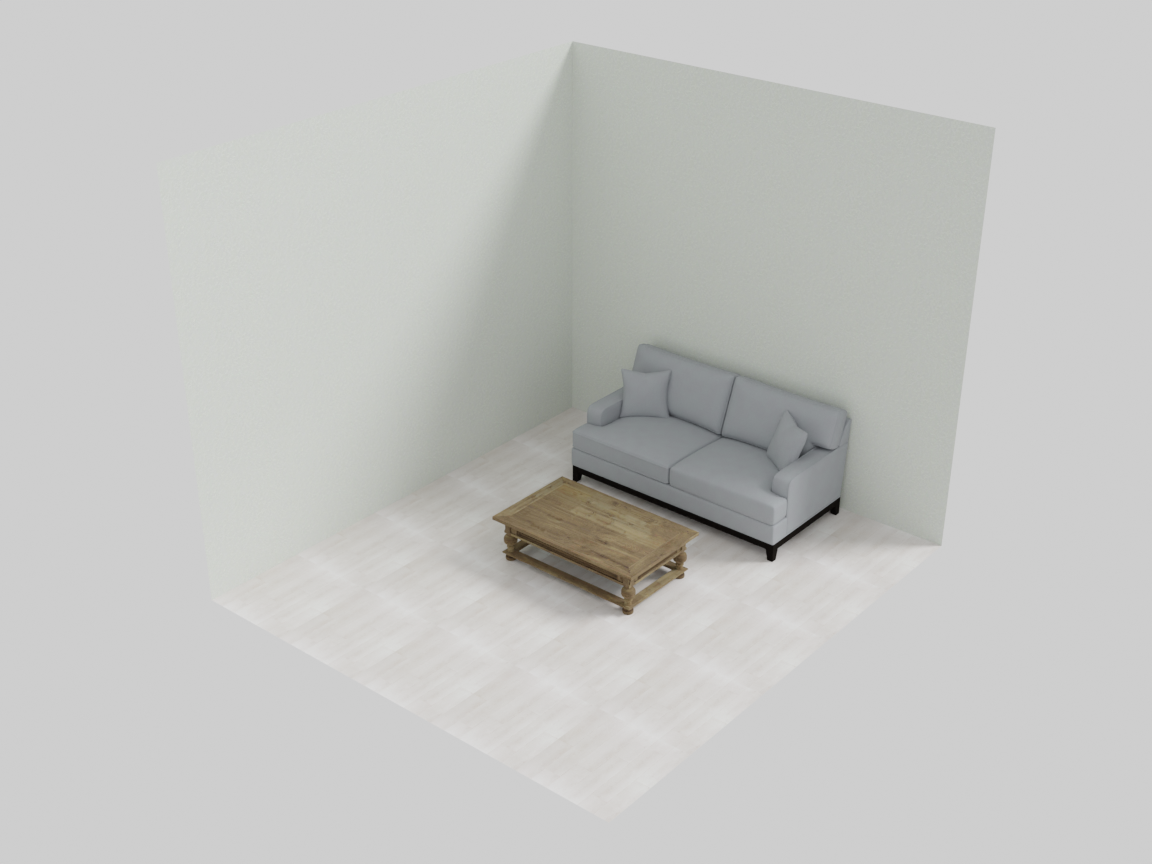
with scene.RelativeGroup() as seating_area:
    sofa = scene.AddAsset("a modern gray sofa")
    coffee_table = scene.AddAsset("a wooden coffee table")
    seating_area.set_anchor(sofa)
    seating_area.place_on_front(coffee_table)

with scene.RoomGroup() as main_room:
    main_room.place_on_back_wall_center(seating_area, facing="front")
    main_room.place_walls(
        floor_texture="light oak wood floor",
        ceiling_texture="smooth white ceiling",
        wall_texture="warm off-white painted wall",
    )

scene.export("test_scene.blend")
Open test_scene.blend in Blender and you should see something like this:
Verify the install
The repo ships a smoke test that talks to the MCP server exactly the way an MCP client (Claude Code, Claude Desktop, …) would:
python3 tools/mcp_smoke.py
Exit code 0 means the environment, datasets, and server all resolve correctly.
Docker (alternative)
The repo’s Dockerfile builds an environment image (conda env + Blender preinstalled); the repo — with datasets extracted — is volume-mounted into it. The conda path above is the primary supported setup; the image is a convenience.
Next step
Continue to Getting Started for an overview of InteriorAgent-IDSDL.