AroundGroup
An AroundGroup arranges objects around an anchor — the classic case being chairs around a table. It offers three layouts: a rectilinear ring (chairs along the sides of a rectangular table), a full circle, and an arc (a fan of seats facing the anchor).
Like RelativeGroup, it is anchored: set_anchor chooses the central object, and the surrounding objects are positioned relative to it and turned to face it.
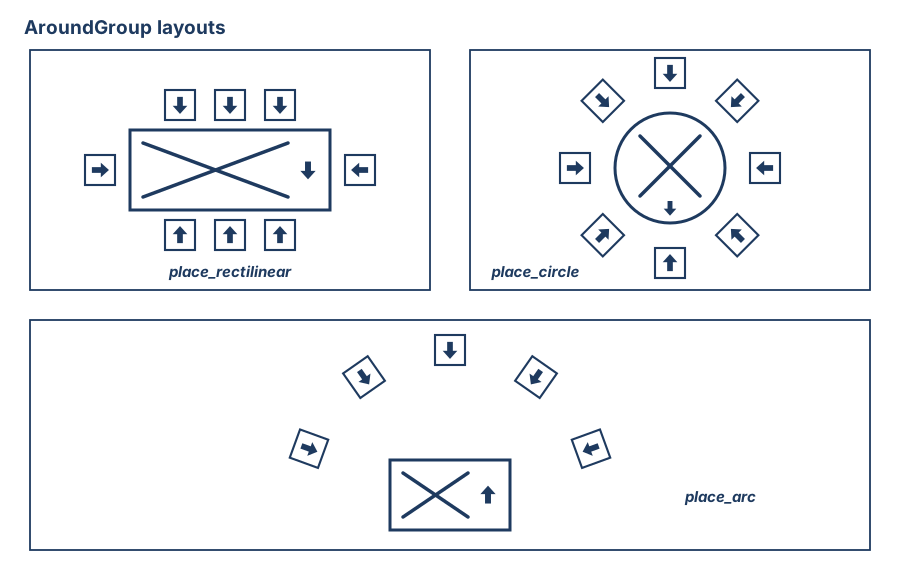
The three layouts: place_rectilinear seats each side of a rectangular anchor independently, place_circle rings it, place_arc fans seats in front of it — every slot faces the anchor.
with scene.AroundGroup() as seating:
    table = scene.AddAsset("a wooden coffee table")
    chair = scene.AddAsset("an upholstered accent chair")
    seating.set_anchor(table)
    seating.place_circle(objects=4 * chair)
place_circle(objects)
Distributes the objects evenly around a full circle and turns each to face the anchor.
| Parameter | Type | Description |
|---|---|---|
objects | list | The objects to arrange (commonly n * chair). |
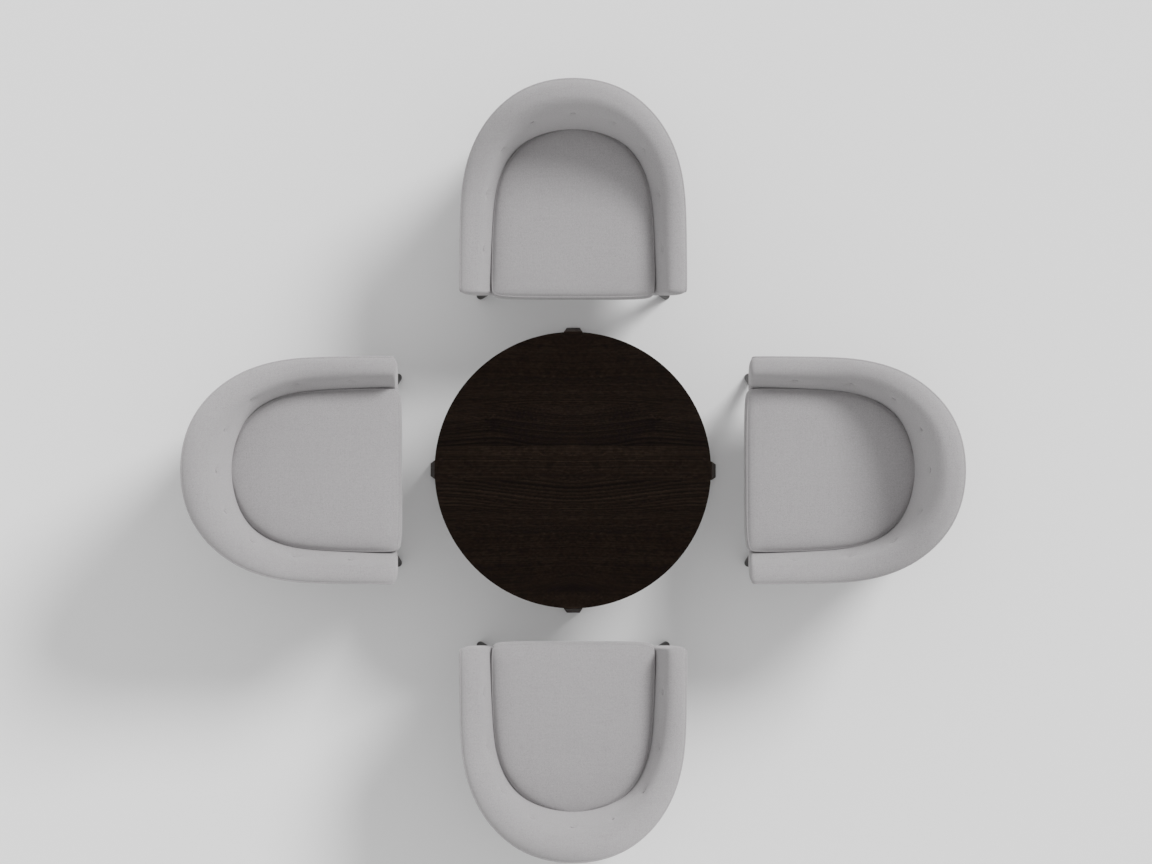
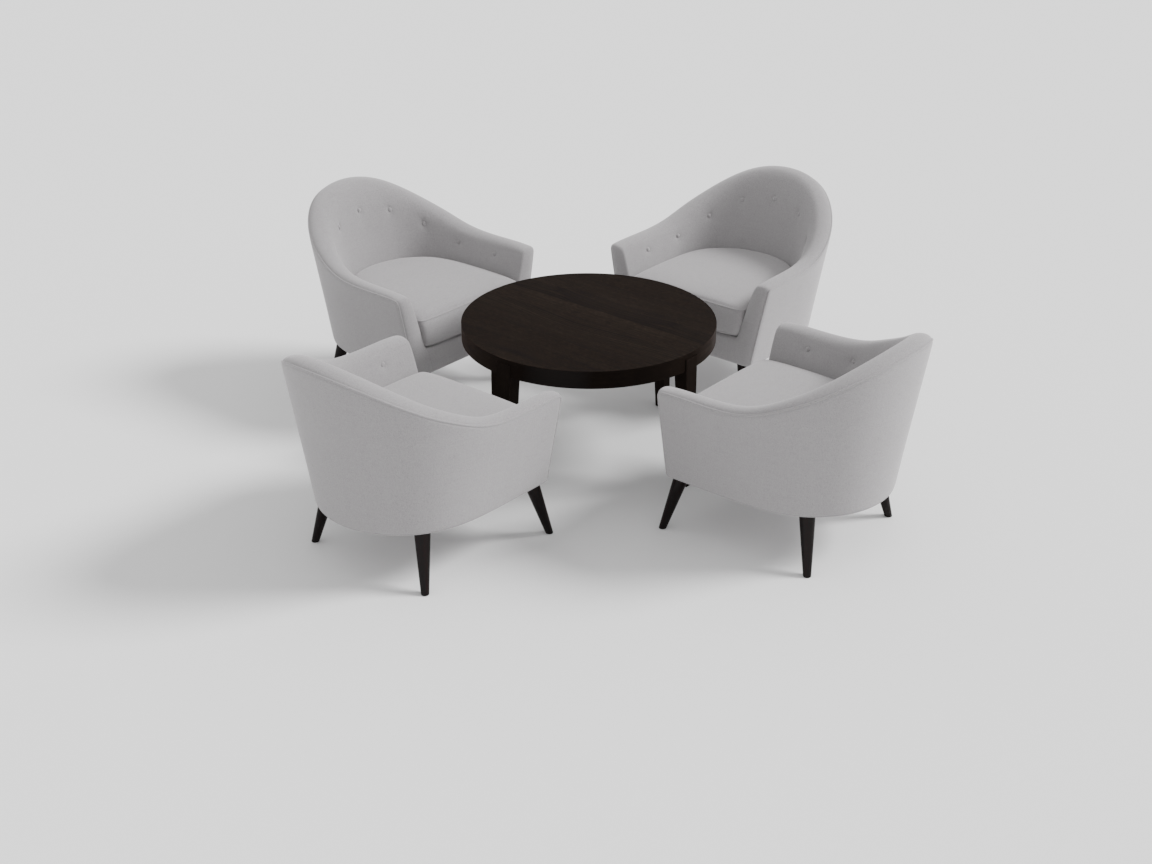
If the objects can’t all fit at the requested radius, the ring is pushed outward until they do — the anchor keeps its natural size. (Note the deliberate contrast with place_rectilinear below, which resolves the same problem the opposite way: there the anchor grows so the ring can stay put.) The gap between the anchor and the ring is controlled by sparsity (see below).
place_rectilinear(...)
Places objects along the four sides of a rectangular anchor (e.g. a dining table). Each side is an independent list, so you can seat a different number of chairs per edge.
| Parameter | Type | Description |
|---|---|---|
longer_side1, longer_side2 | list | Objects along the two long sides of the anchor. |
shorter_side1, shorter_side2 | list | Objects along the two short sides. |
with scene.AroundGroup() as dining:
    table = scene.AddAsset("a large rectangular dining table with a dark wood finish")
    chair = scene.AddAsset("an elegant dining chair with a cushioned seat")
    dining.set_anchor(table)
    dining.place_rectilinear(
        longer_side1=3 * chair, longer_side2=3 * chair,
        shorter_side1=1 * chair, shorter_side2=1 * chair,
    )
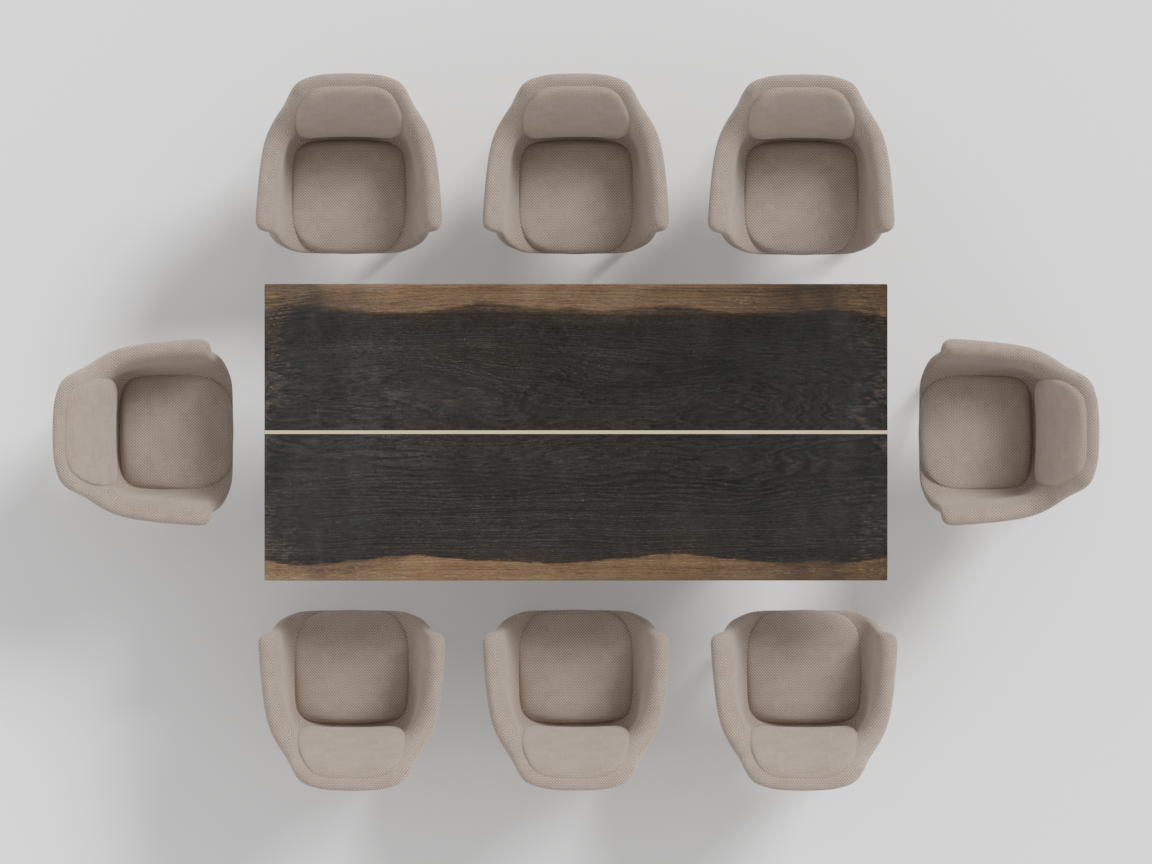
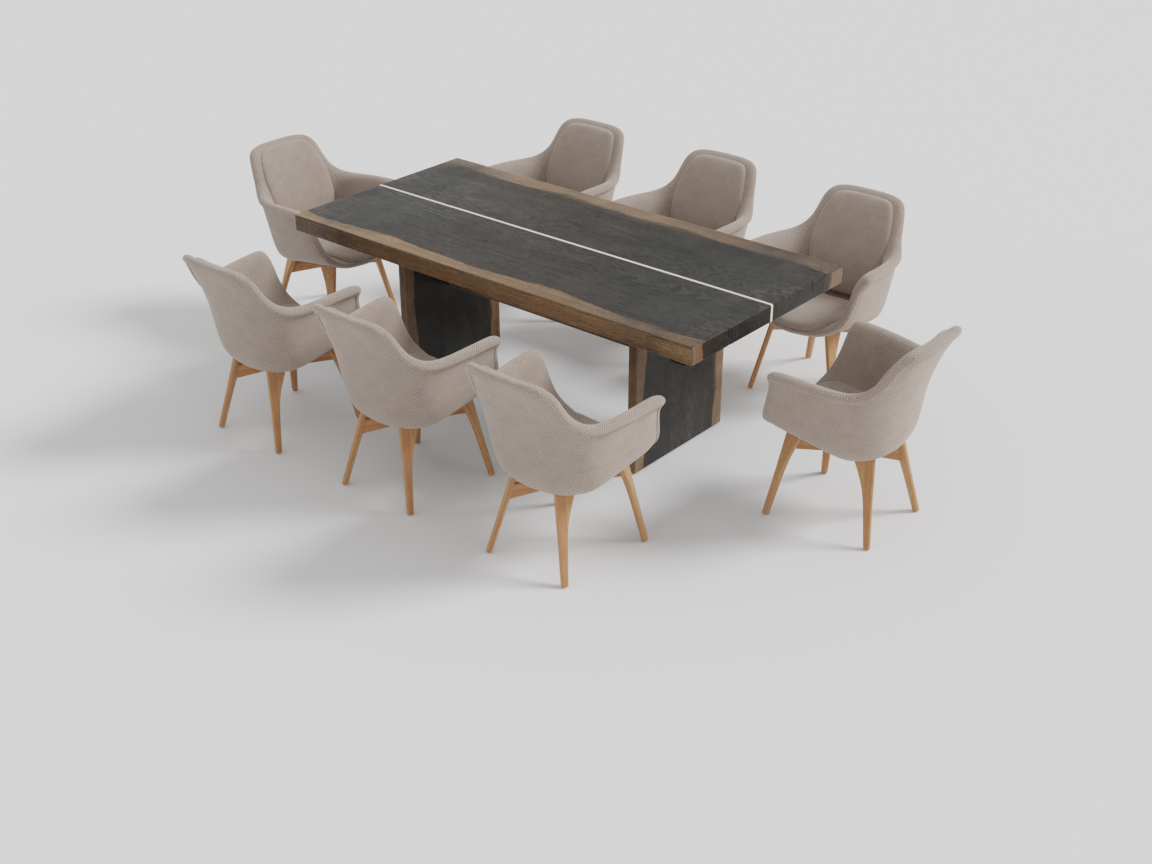
If a side has more chairs than the table edge can hold, the table is widened (or deepened) so they fit, and the chairs are spaced evenly along the resulting edge. (The opposite of place_circle, which never touches the anchor and pushes the ring outward instead — a dining table should grow to seat its chairs; a coffee table shouldn’t.)
place_arc(objects, dist=0.1)
Arranges objects in a single arc in front of the anchor, all facing it — a conversational seating fan, or an audience facing a focal point.
| Parameter | Type | Default | Description |
|---|---|---|---|
objects | list | required | Objects to arrange along the arc. |
dist | float | 0.1 | Radial gap between the anchor and the arc, in metres. |
with scene.AroundGroup() as seating:
    podium = scene.AddAsset("a wooden lecture podium")
    chair  = scene.AddAsset("a cozy lounge chair")
    seating.set_anchor(podium)
    seating.place_arc(objects=5 * chair)
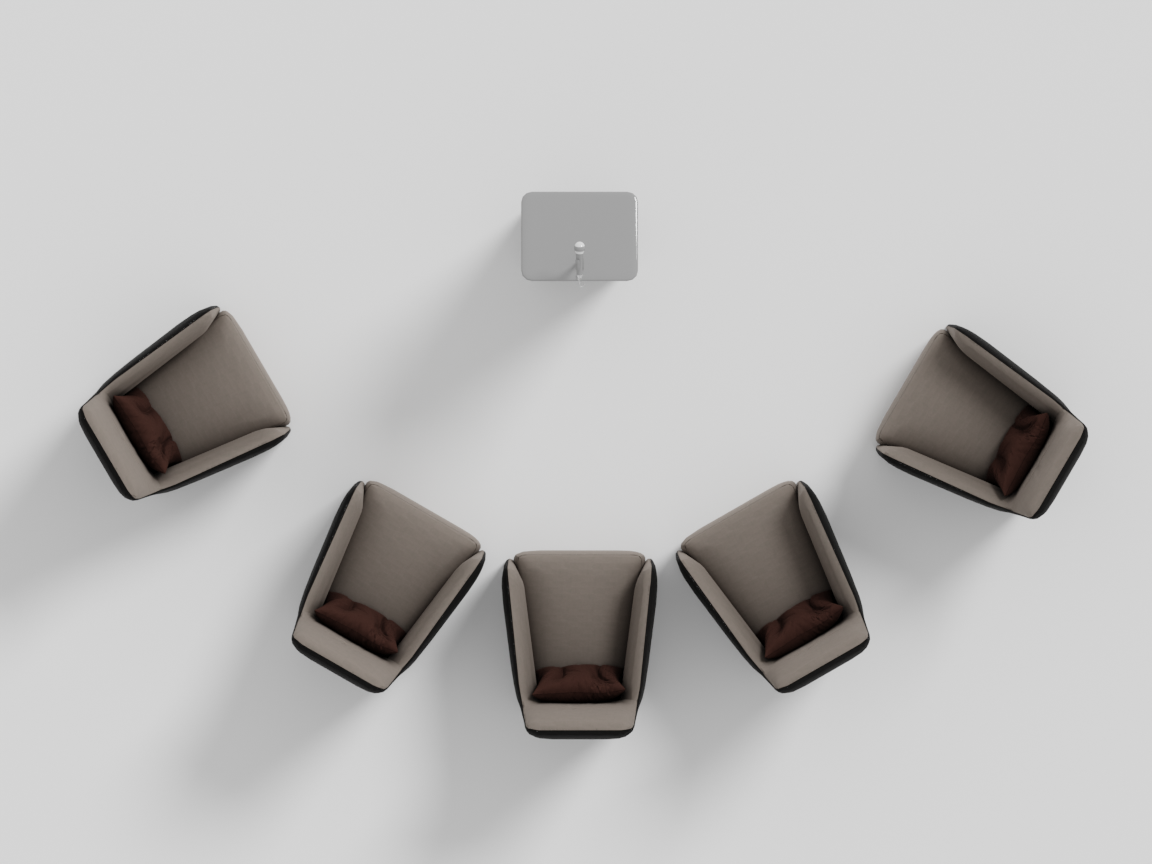
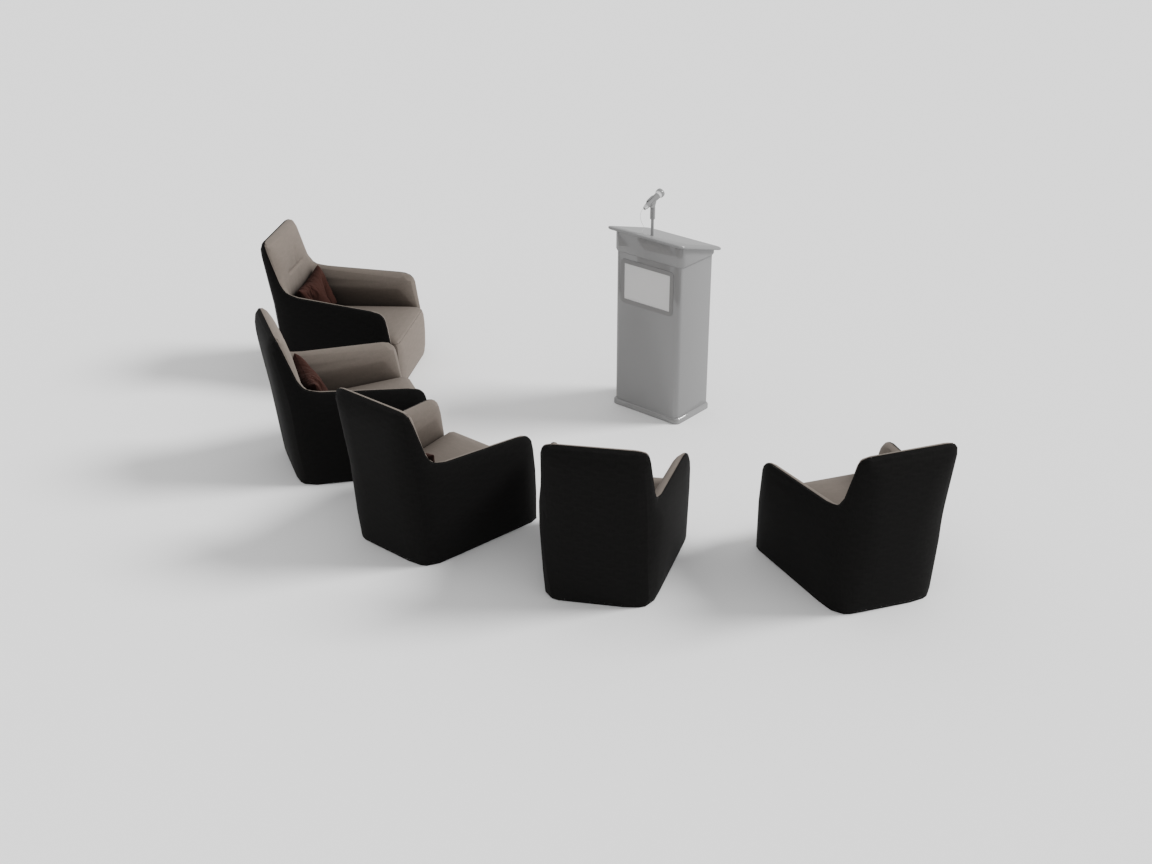
The seats sit shoulder-to-shoulder at their natural angular pitch, and the run as a whole is centered on the anchor’s front. The arc spans at most 150° — that is a ceiling, not a target: a short row makes a short arc. If the seats don’t fit inside the cap at the requested dist, the arc is pushed outward until they do (the same resolution rule as place_circle). For an arc, sparsity widens the gap between neighbouring seats and the standoff from the anchor — both grow monotonically with the dial.
Parameters: sparsity and jitter
AroundGroup(sparsity=..., jitter=...) accepts two dials, both in [0, 1], both deterministic under the scene seed.
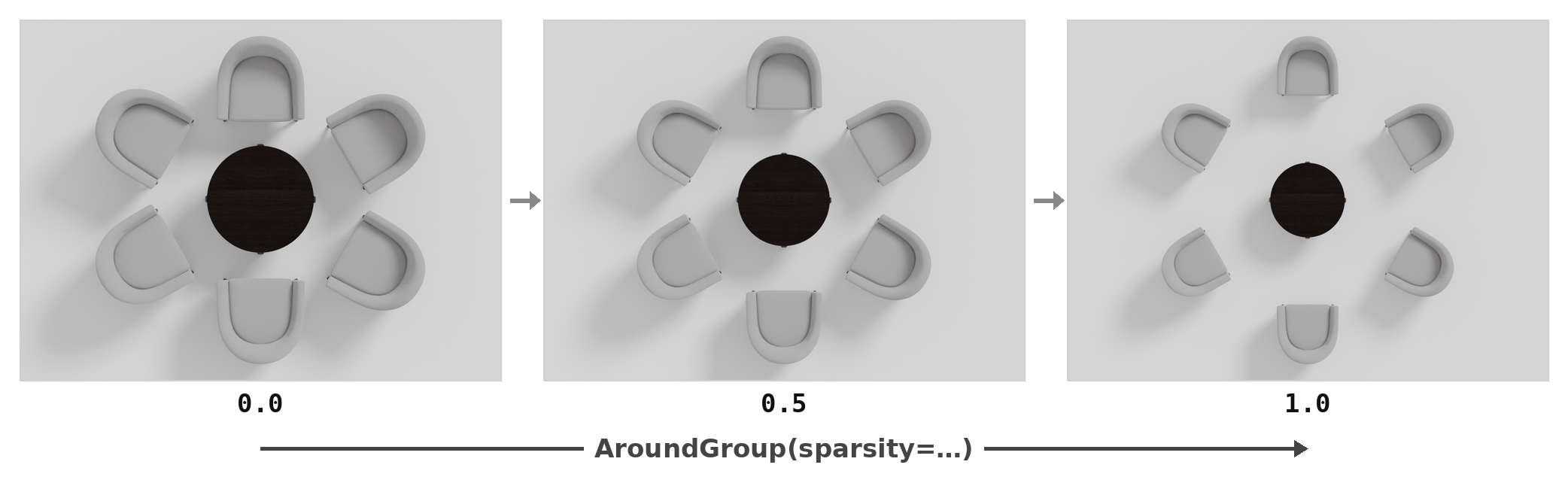
sparsity controls how far the surrounding objects sit from the anchor (for place_arc it also opens the seat-to-seat gap). The same program, swept:
jitter perturbs each placed object’s position and facing (up to ±12° of yaw) — the lived-in, pulled-out-chair look. At 0 every chair faces the anchor exactly:
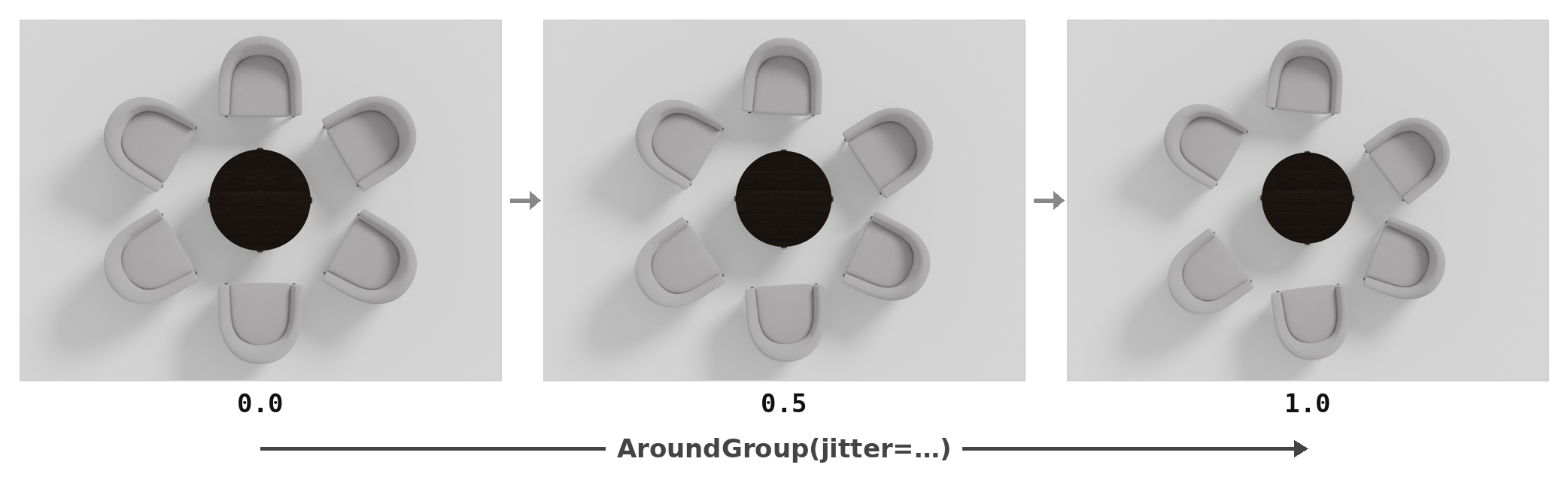
with scene.AroundGroup(sparsity=0.3, jitter=0.5) as seating:
    ...
Compilation
AroundGroup compiles exactly like RelativeGroup: placements run, child groups compile first, an OverlapConstraint and a VLM ObjectProportionsConstraint run, and the group freezes into a single reusable unit ready to be placed in a room or another group.
Next: for patterns with no anchor at all — rows, grids, borders — continue to GridGroup.