RelativeGroup
A RelativeGroup places objects relative to an anchor. You pick one object as the anchor with set_anchor, then describe where the others go in human terms — in front of, to the left of, behind, on top of. This is the workhorse for furniture clusters: a bed with nightstands; a sofa with a coffee table, an end table, and a floor lamp; a desk with a chair.
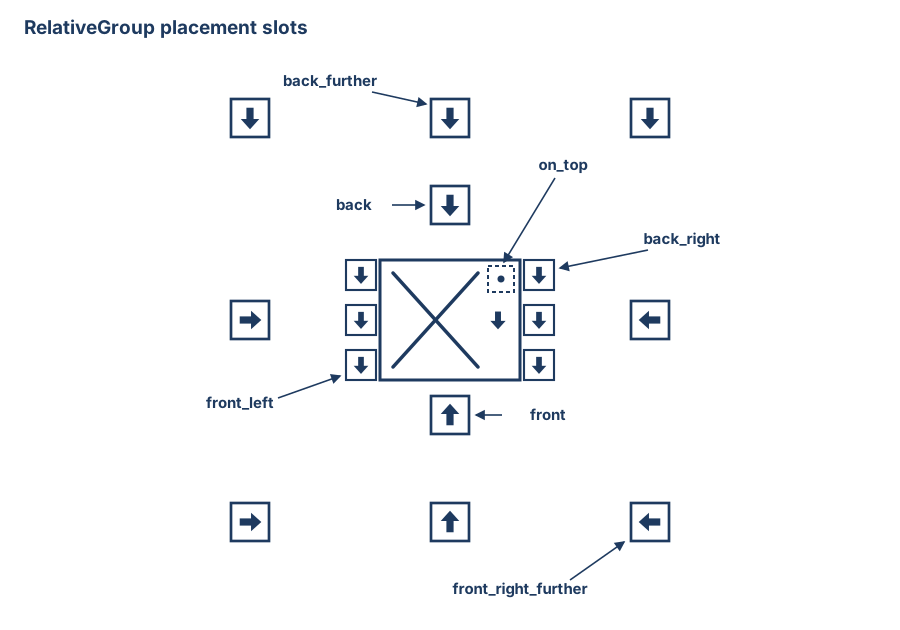
The 17 slots around an anchor: an inner ring flush with the anchor's edges, an outer _further ring at circulation distance, and on_top. Arrows show each slot's fixed orientation.
with scene.RelativeGroup() as seating:
    sofa      = scene.AddAsset("a modern gray sofa")
    table     = scene.AddAsset("a wooden coffee table")
    end_table = scene.AddAsset("a small wooden end table")
    lamp      = scene.AddAsset("a slim brass floor lamp")
    seating.set_anchor(sofa)
    seating.place_on_front(table)
    seating.place_on_left(end_table)
    seating.place_on_right(lamp)
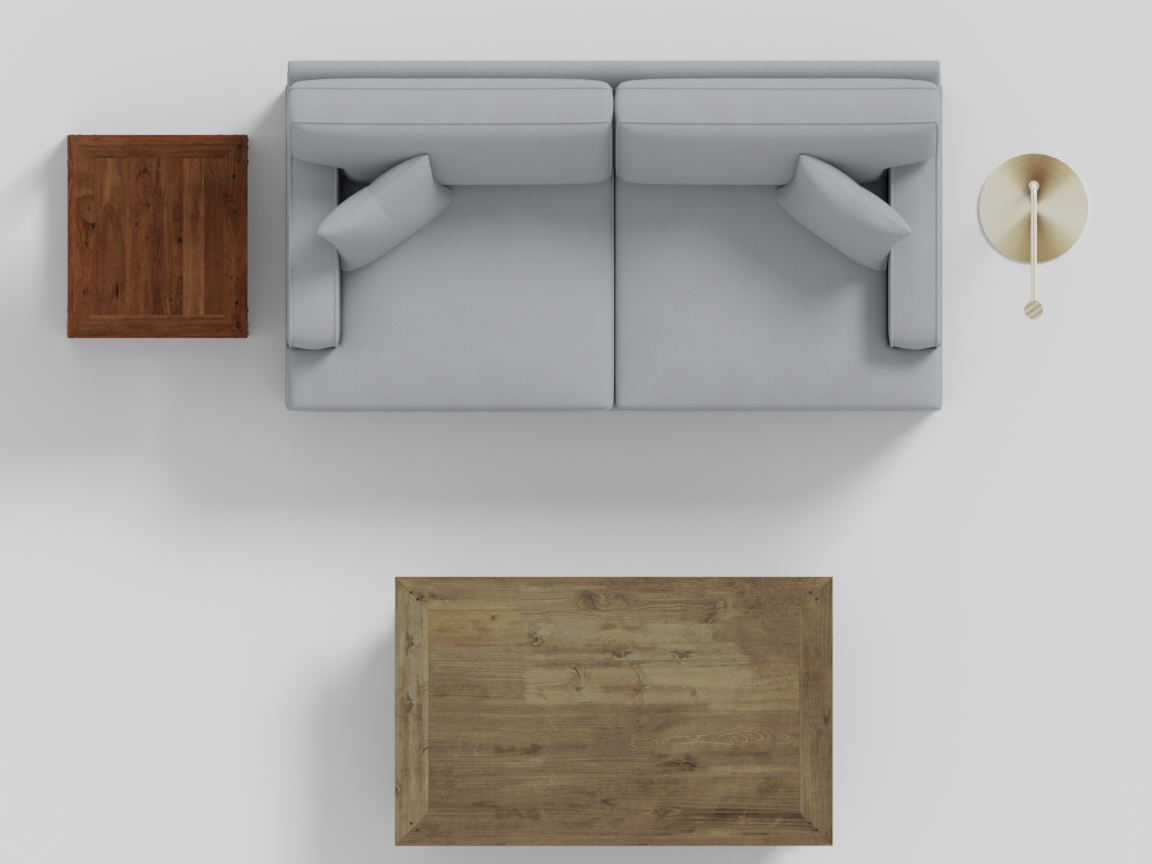
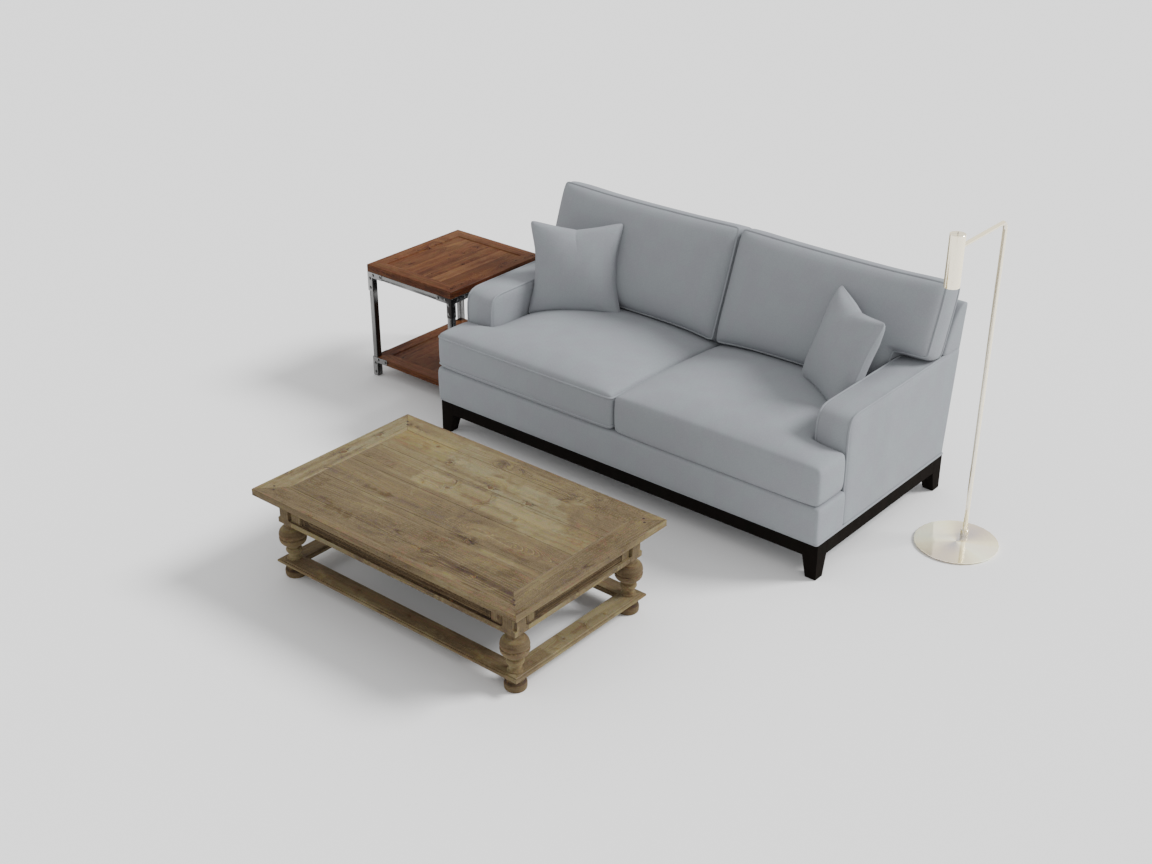
The anchor (sofa) defines the local frame: front is +Z, back is −Z, left and right are along X. Every placement is measured from the anchor’s edges, so the layout adapts automatically to the anchor’s size.
Placement rings
RelativeGroup placements fall into three concentric “rings” around the anchor.
Adjacent ring — touching the anchor
These place an object flush against the anchor with only a small buffer gap. Best for things that physically attach to the anchor, like a chair tucked under a desk.
| Method | Position |
|---|---|
place_on_front_adjacent(obj) | directly in front of the anchor, flush against it |
place_on_back_adjacent(obj) | directly behind the anchor, flush against it |
with scene.RelativeGroup() as workspace:
    desk  = scene.AddAsset("a wooden desk with drawers")
    chair = scene.AddAsset("a dark wooden dining chair")
    workspace.set_anchor(desk)
    workspace.place_on_back_adjacent(chair)
    workspace.rotate(desk, 180)   # desks model their knee-hole at the front
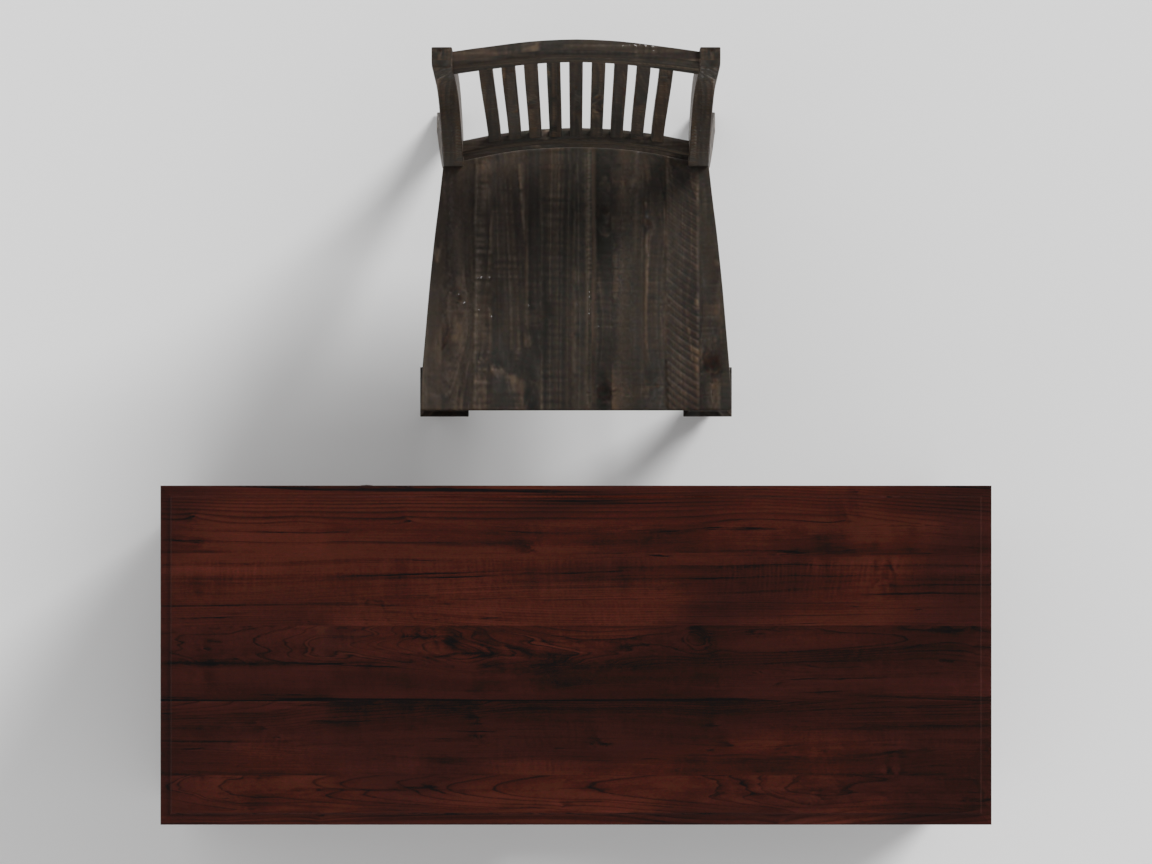
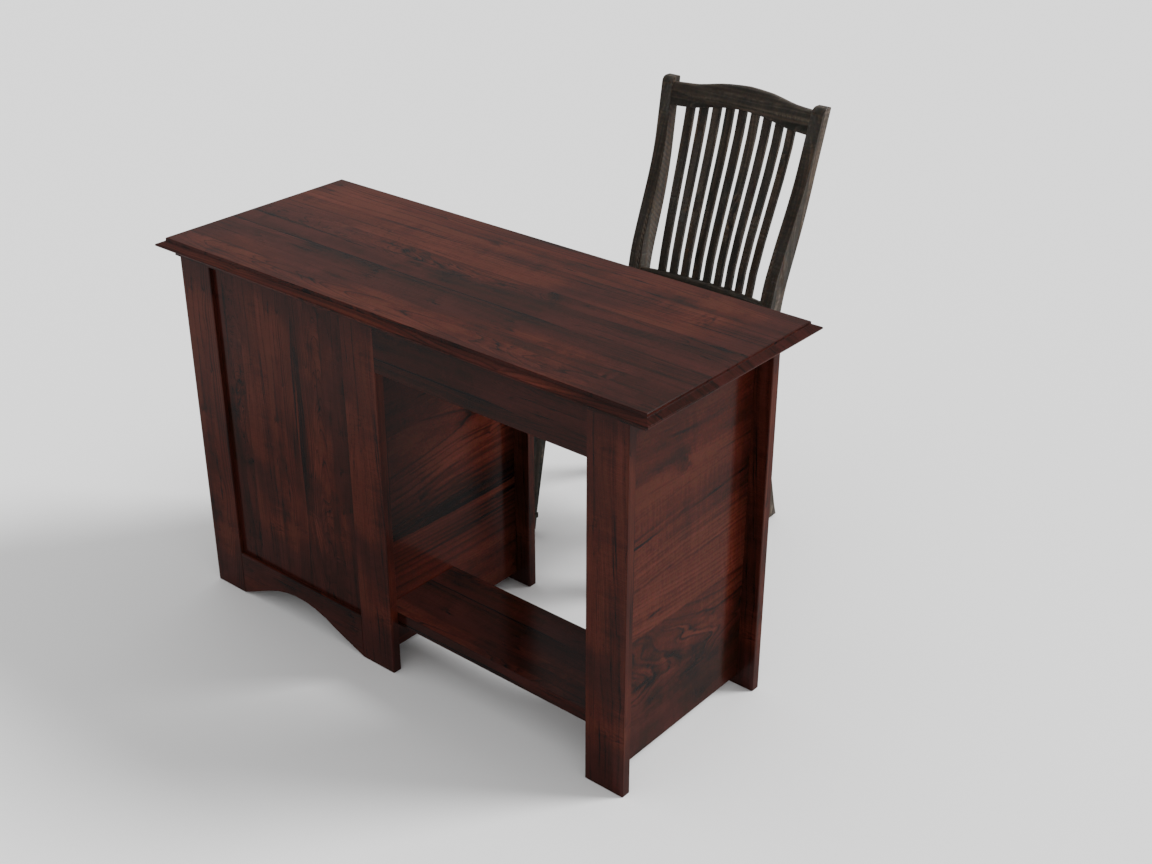
The canonical adjacent placement: place_on_back_adjacent tucks the chair into the desk with only a 5 cm buffer — no near-ring gap, no jitter. This is exactly the pattern the place_desk_chair helper wraps.
Near ring — beside the anchor
The default ring. Objects sit just off the anchor’s edge with a standard side gap.
| Method | Position |
|---|---|
place_on_front(obj) | in front of the anchor |
place_on_back(obj) | behind the anchor |
place_on_left(obj) | to the left |
place_on_right(obj) | to the right |
place_on_front_left(obj) | front-left corner |
place_on_front_right(obj) | front-right corner |
place_on_back_left(obj) | back-left corner |
place_on_back_right(obj) | back-right corner |
The corner slots handle the everyday case of a nightstand on either side of a queen bed’s headboard:
with scene.RelativeGroup() as bedside:
    bed = scene.AddAsset("a queen-sized bed with a wooden frame")
    bedside.set_anchor(bed)
    nightstands = 2 * scene.AddAsset("a small wooden nightstand with a drawer")
    bedside.place_on_back_left(nightstands[0])
    bedside.place_on_back_right(nightstands[1])
Using the 2 * copy mechanism (rather than two separate AddAsset calls) guarantees both nightstands are the same mesh.
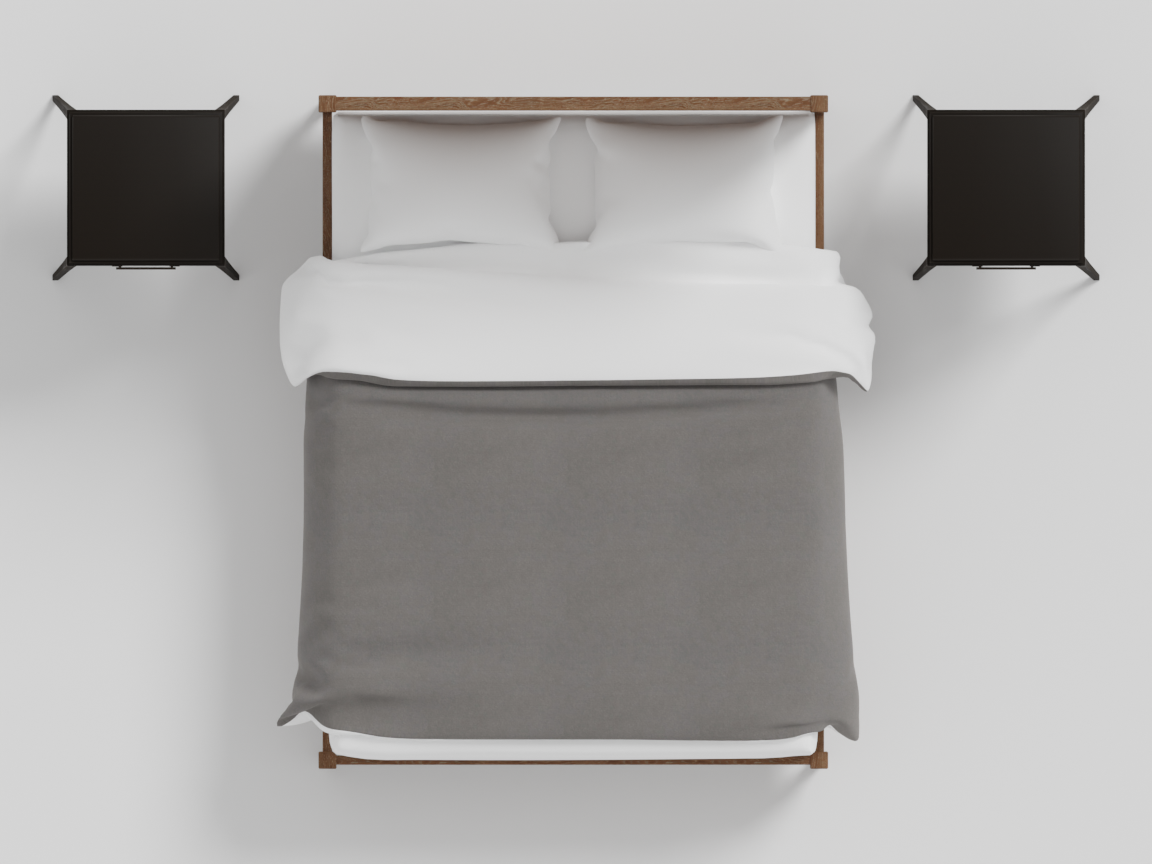
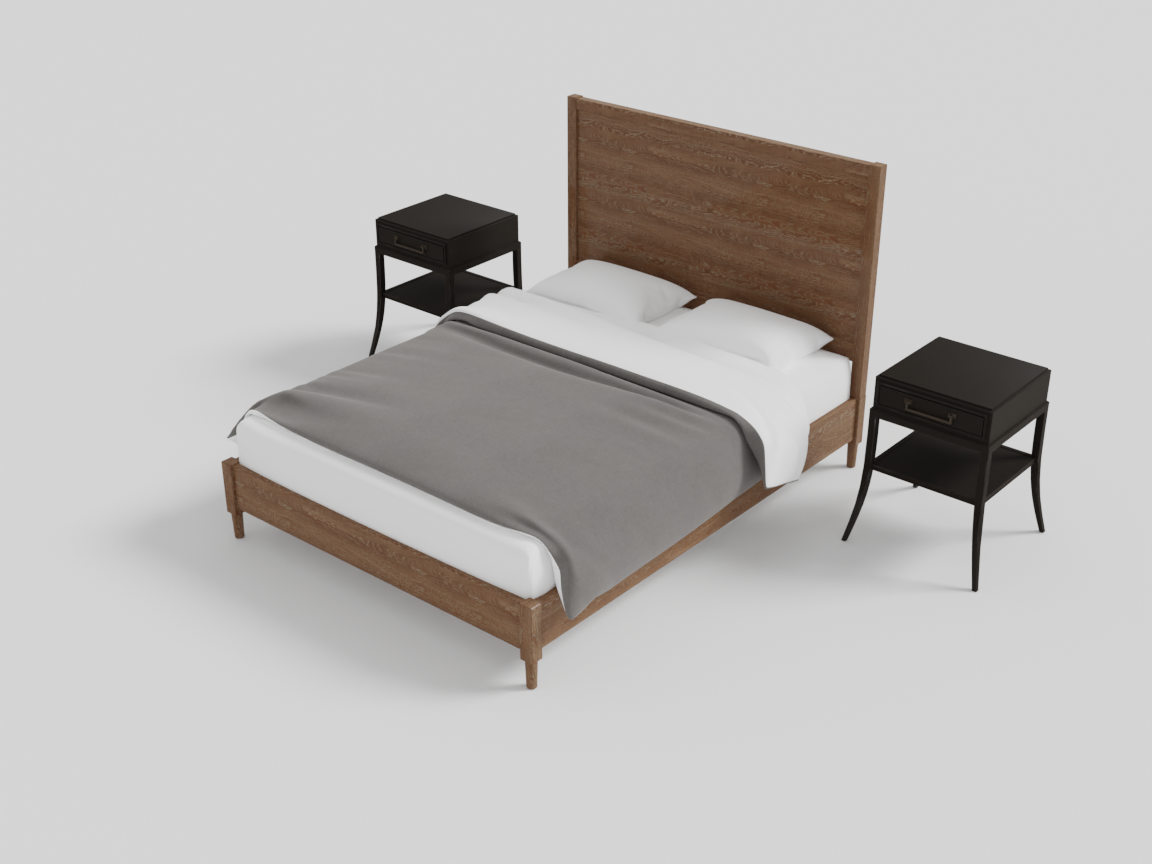
place_on_back_left and place_on_back_right flank the headboard at the standard 10 cm side gap — the near ring's corner slots put the nightstands beside the pillows rather than at the middle of the bed.
Further ring — at circulation distance
The _further variants place objects beyond the near ring, at a circulation distance that leaves walking space. They account for everything already in the near ring, so a _further object always clears the inner objects — useful for a floor lamp beside an armchair, or a console table behind a sofa with a walkway between.
| Method | Position |
|---|---|
place_on_front_further(obj) / place_on_back_further(obj) | front / back, past the near ring |
place_on_left_further(obj) / place_on_right_further(obj) | left / right, past the near ring |
place_on_front_left_further(obj) … place_on_back_right_further(obj) | the four corners, past the near ring |
with scene.RelativeGroup() as seating:
    sofa        = scene.AddAsset("a modern gray sofa")
    second_sofa = scene.AddAsset("a modern gray sofa")
    seating.set_anchor(sofa)
    seating.place_on_front_right_further(second_sofa)   # further ring, diagonal
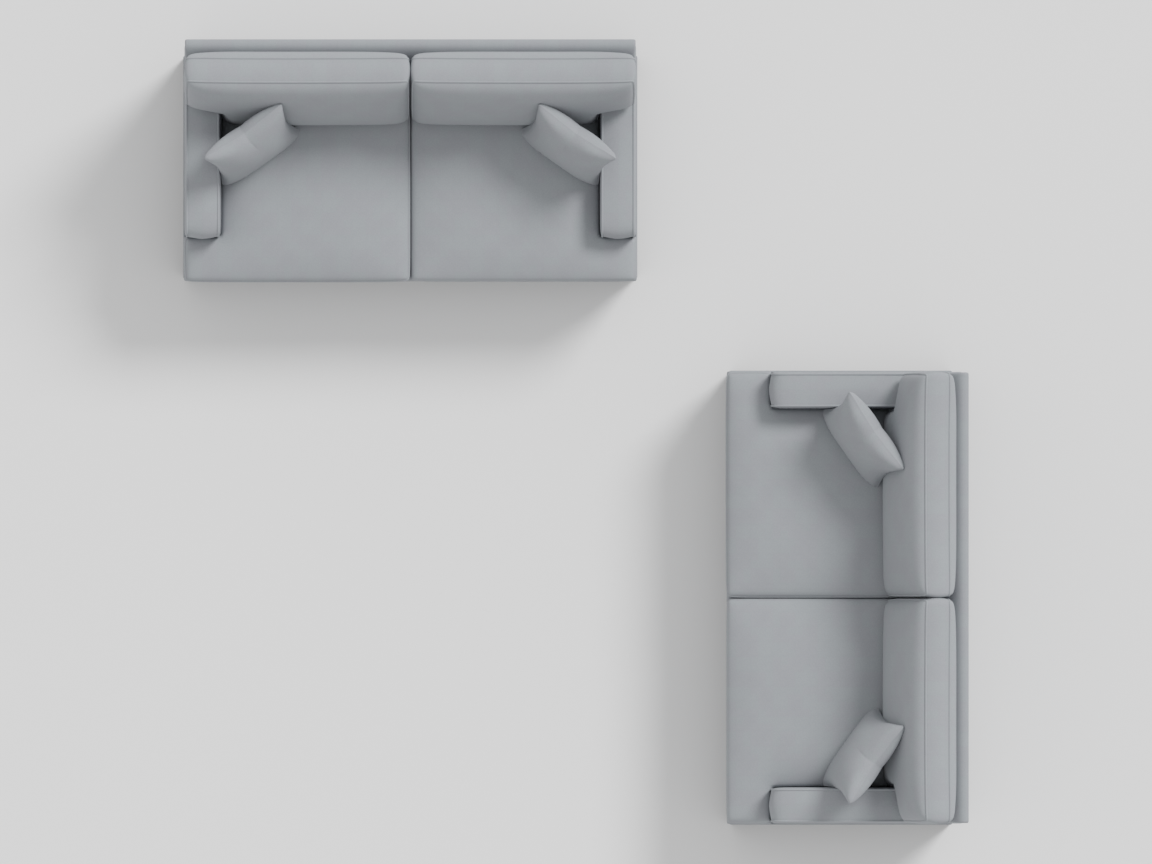
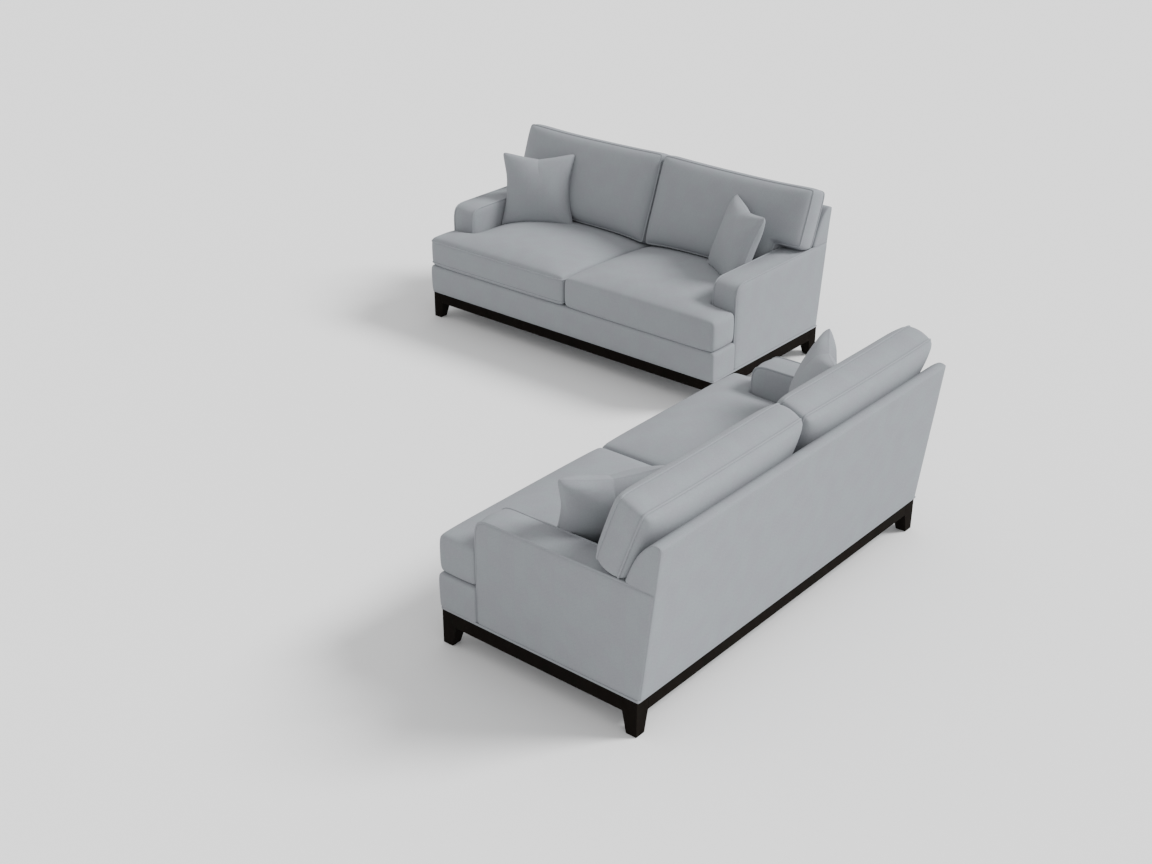
The second sofa — the same mesh as the anchor — lands on the front-right diagonal of the further ring: a 35 cm circulation gap past the anchor’s edge on both axes, turned 90° so the two sofas face across a shared corner. That is the start of an L-shaped conversation area, and the next example grows this exact scene into one.
The rings together
Keep the two sofas and fill in the near ring — one asset per tier makes the distances concrete:
with scene.RelativeGroup() as seating:
    sofa        = scene.AddAsset("a modern gray sofa")
    end_table   = scene.AddAsset("a small wooden end table")
    coffee      = scene.AddAsset("a wooden coffee table")
    second_sofa = scene.AddAsset("a modern gray sofa")
    seating.set_anchor(sofa)
    seating.place_on_left(end_table)                   # near ring: side slot
    seating.place_on_front(coffee)                     # near ring: front slot
    seating.place_on_front_right_further(second_sofa)  # further ring
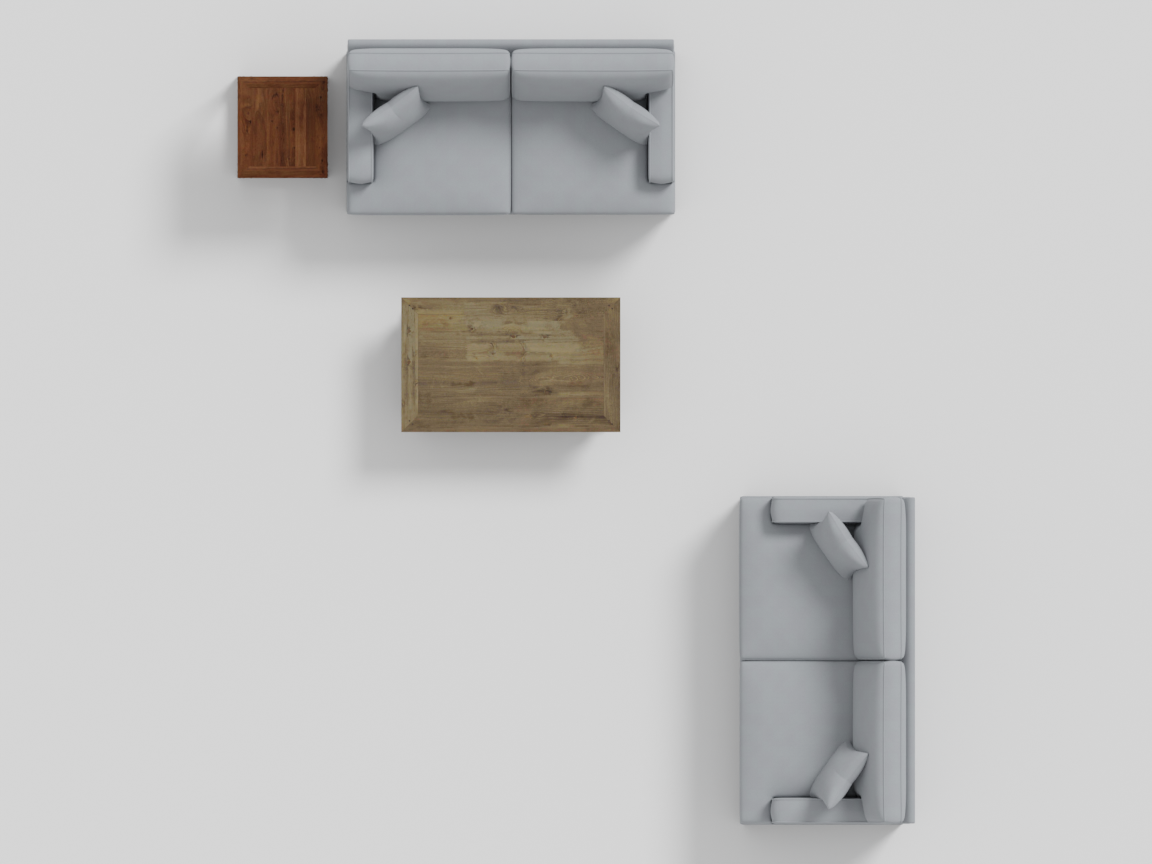
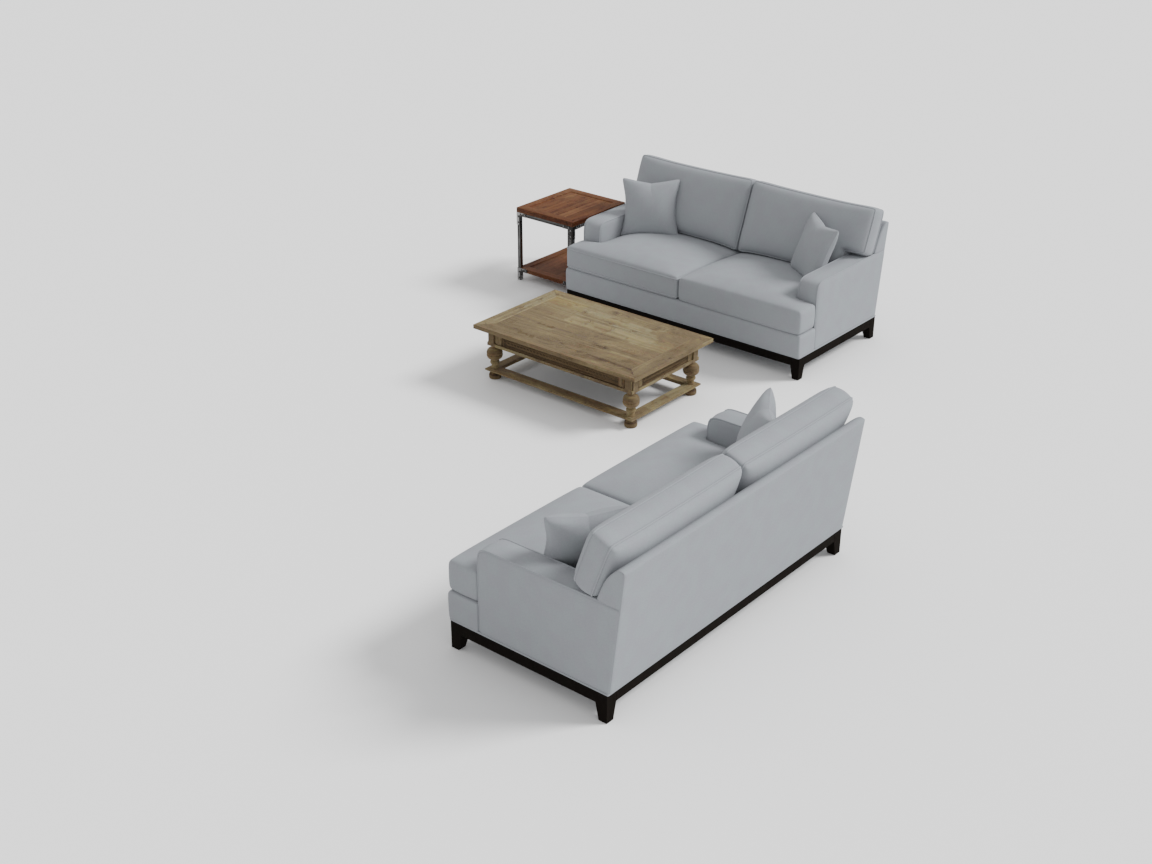
One asset per ring around the sofa anchor. The end table sits at the standard side gap (10 cm) and the coffee table at the standard front gap (45 cm) — the near ring. The second sofa keeps its further-ring diagonal, but not the same spot as before: the further ring measures the occupied ring on each axis, so the coffee table pushes the front edge out and the sofa lands a 35 cm circulation gap beyond it, still facing across the corner. The third distance, touching (a 5 cm buffer), belongs to the front/back _adjacent slots shown at the top of this section.
Stacking and rugs
place_on_top(objs)
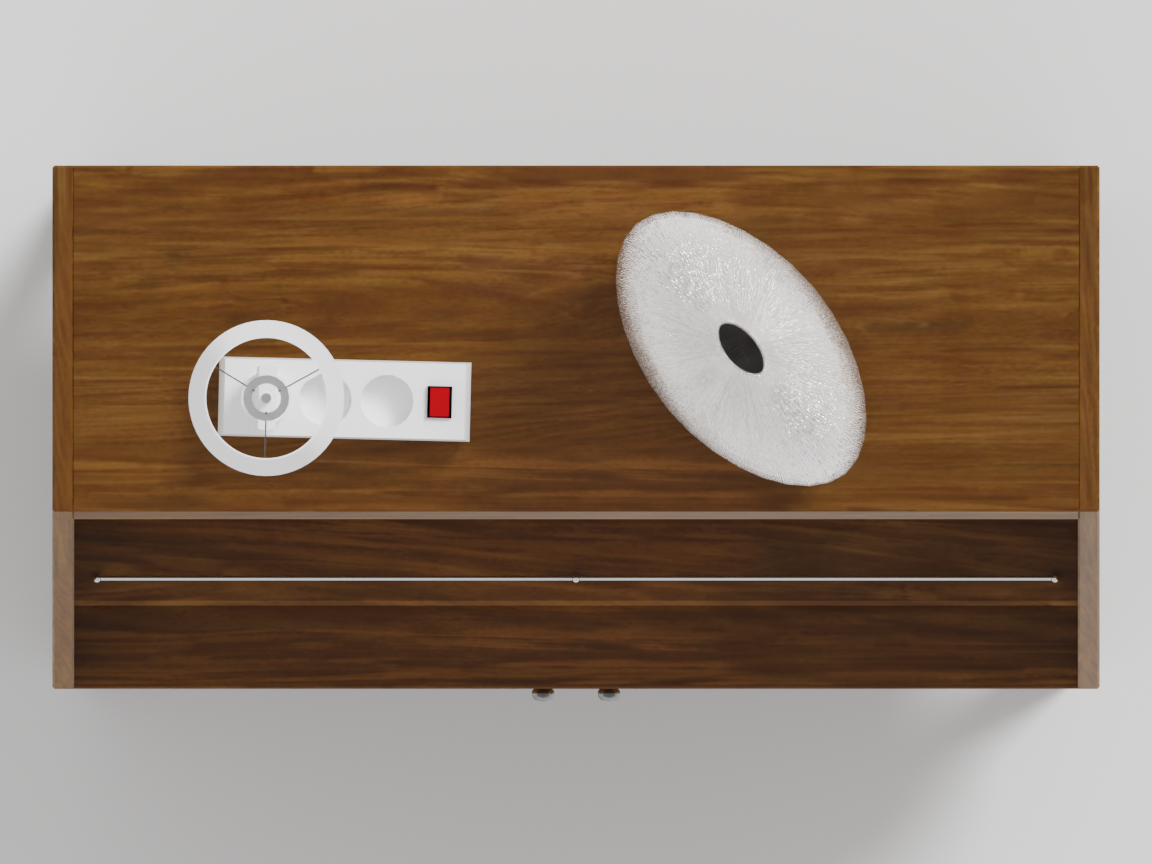
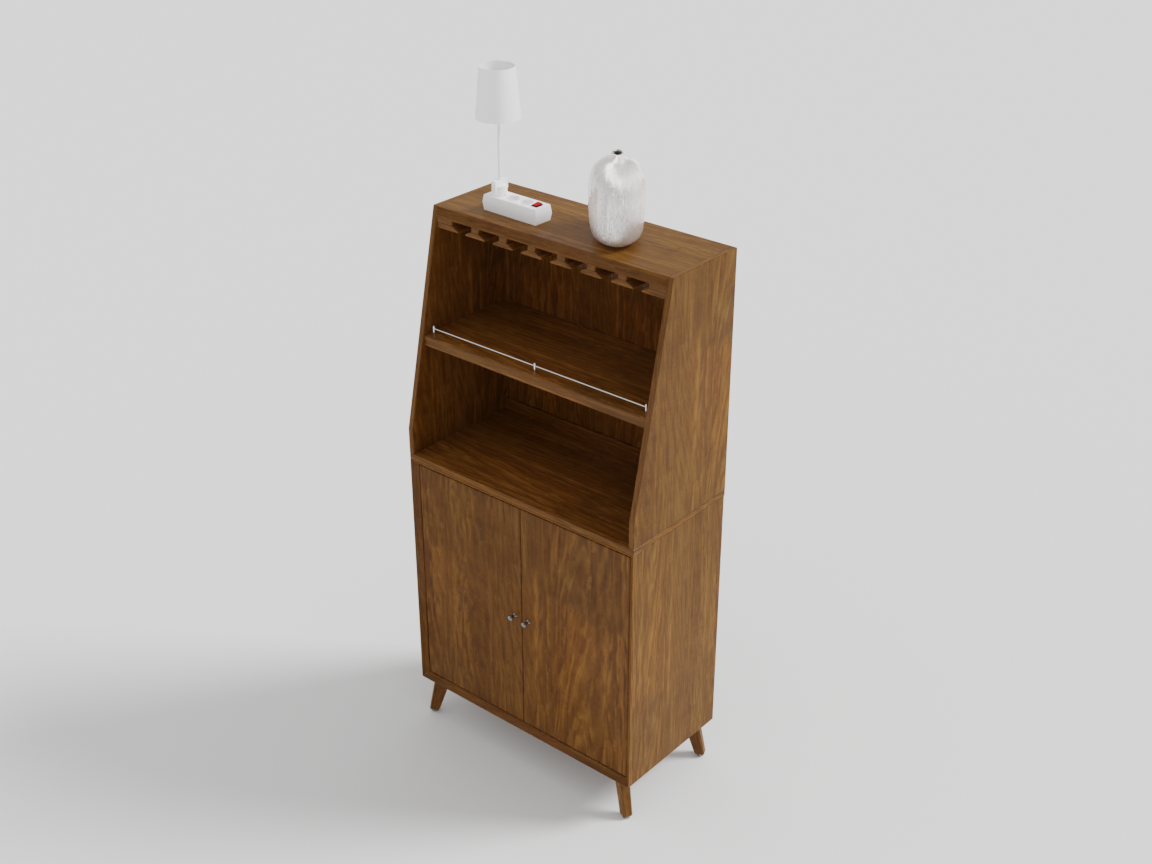
Places one or more objects on the top surface of the anchor (a lamp on a sideboard, books on a table). The placement finds the anchor’s real top surface rather than its bounding-box top, and objects placed on top are marked ignore_overlap so optimization won’t slide them off. This placement is delayed — it runs after the rest of the group is laid out, so it always lands on the anchor’s final position.
with scene.RelativeGroup() as console:
    sideboard = scene.AddAsset("a mid-century wooden sideboard")
    console.set_anchor(sideboard)
    console.place_on_top([
        scene.AddAsset("a modern table lamp with a white shade"),
        scene.AddAsset("a small decorative ceramic vase"),
    ])
place_rug(desc, size)
Retrieves a rug and lays it under the group, sized to the group’s footprint.
| Parameter | Type | Description |
|---|---|---|
desc | str | Natural-language description of the rug to retrieve. |
size | float in [0, 1] | How much of the group’s footprint the rug covers. Larger values produce a rug that extends further past the furniture. |
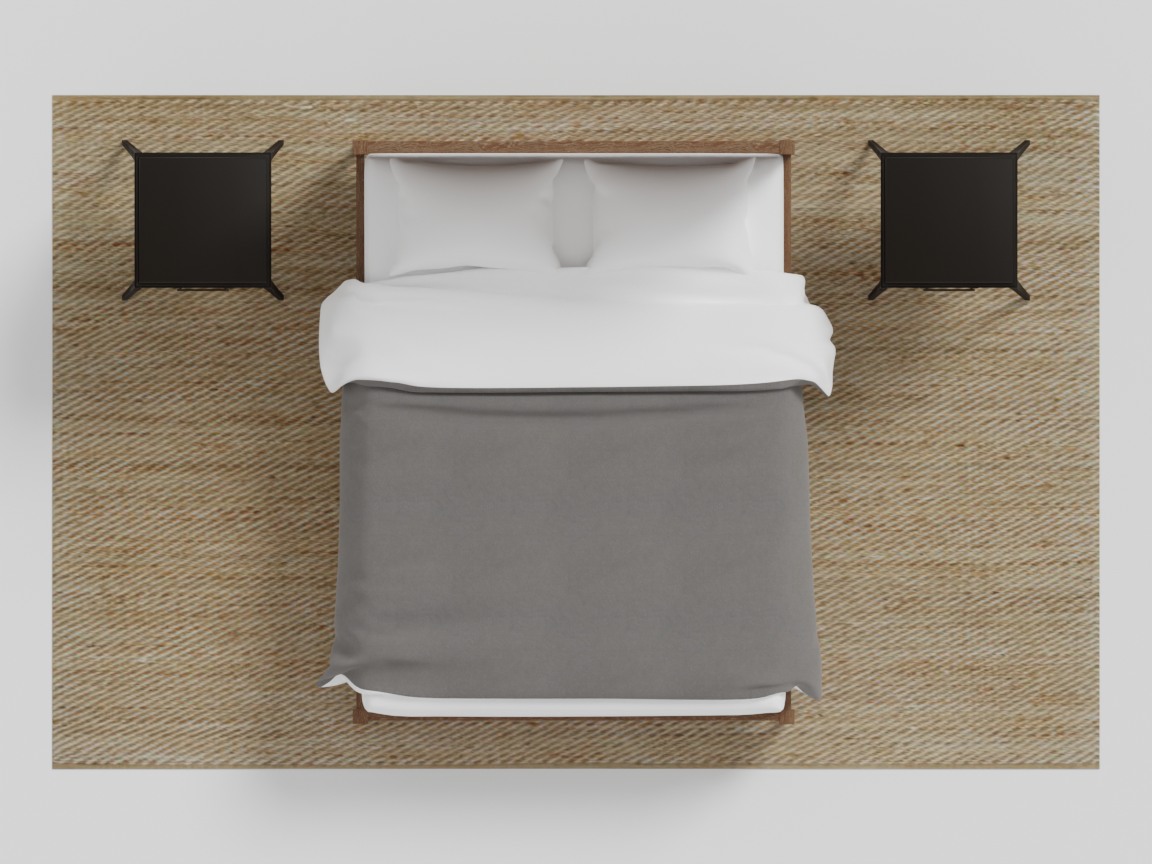
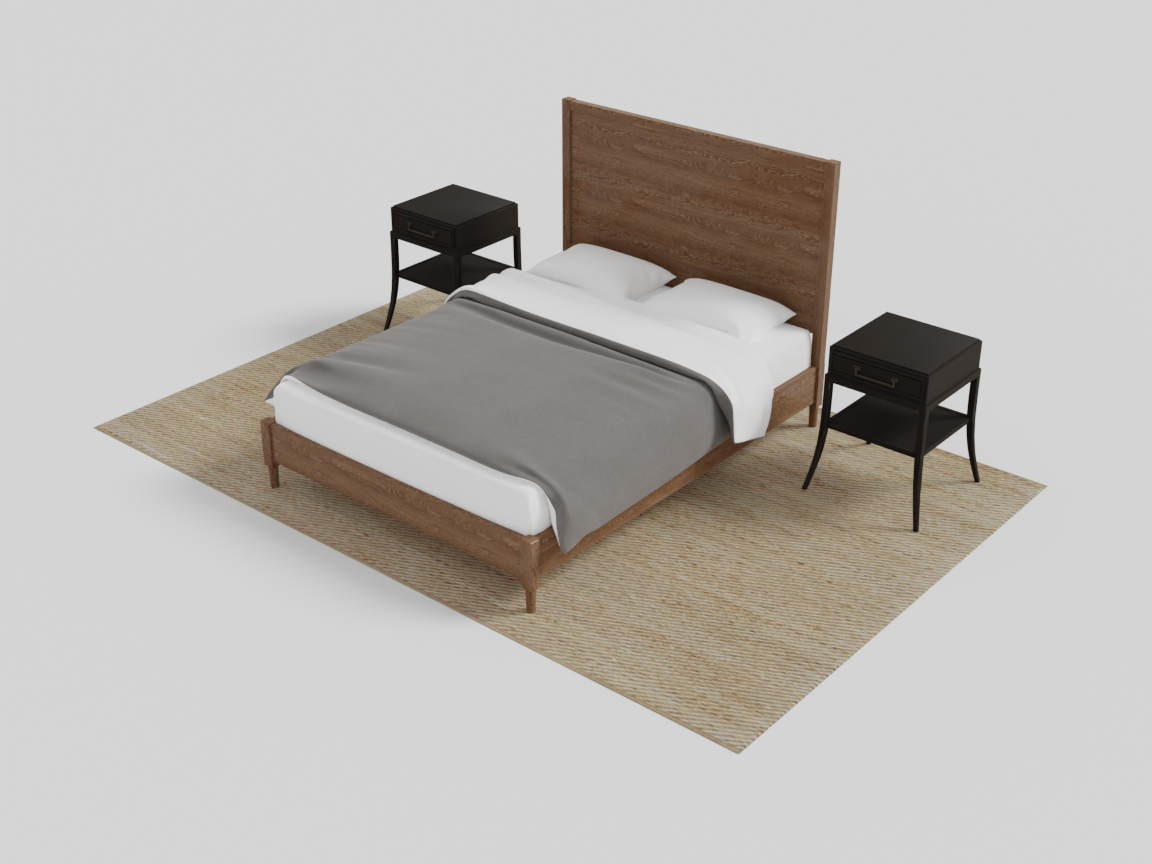
with scene.RelativeGroup() as bed_area:
    bed = scene.AddAsset("a queen-sized bed with a wooden frame")
    bed_area.set_anchor(bed)
    bed_area.place_on_back_left(scene.AddAsset("a small wooden nightstand with a drawer"))
    bed_area.place_on_back_right(scene.AddAsset("a small wooden nightstand with a drawer"))
    bed_area.place_rug("a soft neutral area rug", size=0.9)
Compilation
When the with block closes, the RelativeGroup:
- executes placements in ring order (near → further → top),
- compiles any child groups first,
- runs an
OverlapConstraintplus a VLMObjectProportionsConstraintto catch mismatched object sizes, - freezes into a single unit whose bounding box spans all its members.
Because the compiled group is a single unit, you can nest it: place a RelativeGroup inside another group, or hand it to a RoomGroup. See Hierarchical Layout.
Like every group, RelativeGroup(sparsity=…, jitter=…) takes the variation dials: sparsity scales all three ring gaps together (side, front/back, and circulation — the further ring stays consistent with the inner one), and jitter slides each object within its slot (never far enough to change which side it’s on) with a ±10° turn off the slot’s square pose. The compile-time solve then repairs any contact the jitter introduced.
place_rugdresses the floor under a cluster; its ceiling counterpartadd_lightingworks on any object or group and is covered in Object Registration.
Next: when everything should surround the anchor instead of sitting beside it, use AroundGroup.