SentenceASCIIGenerator
SentenceASCIIGenerator is a specialty group that lays out copies of a single object in the shape of text. Give it one asset and a string, and it stamps a copy of the asset at each filled cell of an ASCII-art rendering of that string — useful for signage, event displays, or playful arrangements (a hedge spelling a word, tea-lights forming a message).
with scene.SentenceASCIIGenerator() as ascii_gen:
    plant = scene.AddAsset("a small succulent plant", modulate_scale=5.0)
    ascii_gen.place(plant, "HI")

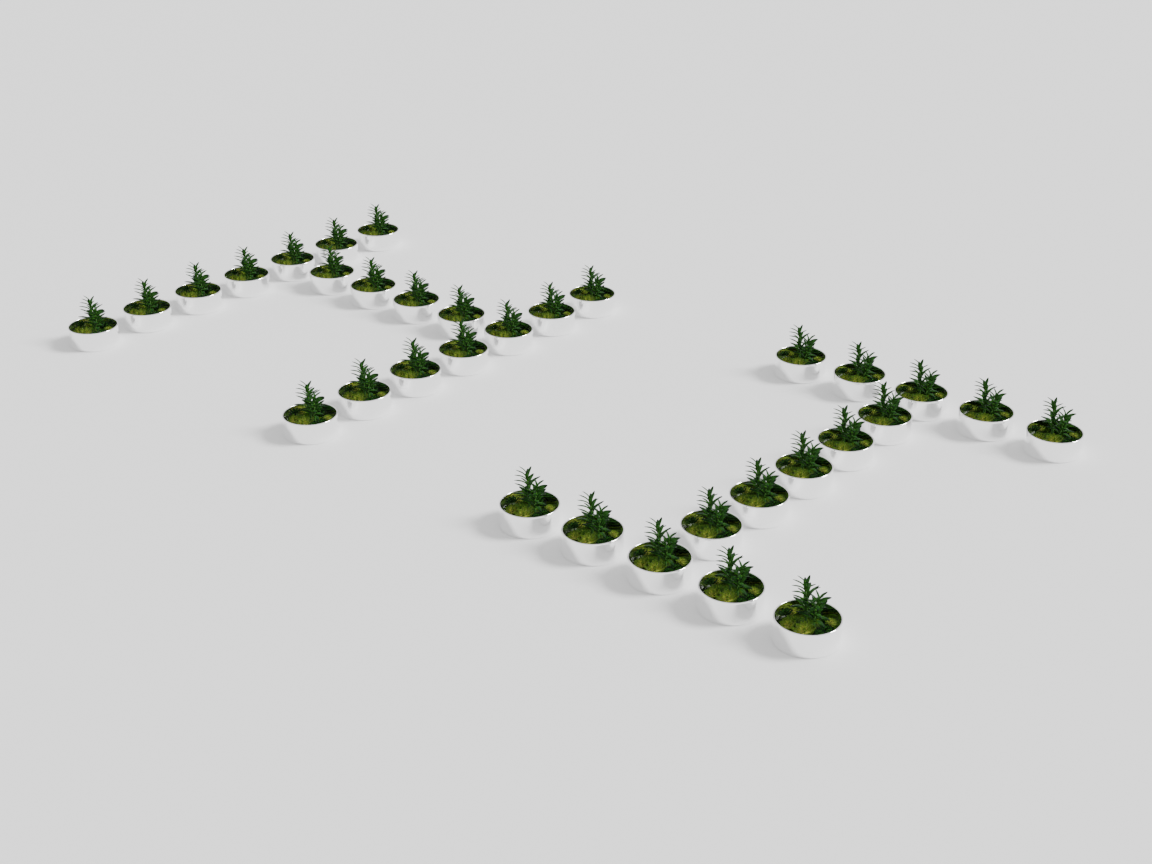
place(obj, sentence)
| Parameter | Type | Description |
|---|---|---|
obj | object | The asset to stamp at each filled cell. It is copied automatically — you pass one object, not a list. |
sentence | str | The text to render. Use \t to separate words on a line and \n to start a new line. |
The generator computes how many cells the text occupies, copies the object that many times, and positions one copy per cell on the floor plane.
ascii_gen.place(plant, "WORLD\tPEACE\n2045")
Scaling up: a forest that spells the title
The mechanism has no size limit — the object can be a tree and the sentence a whole title card. This is the InteriorAgent 3DV 2026 demo: a forest of cherry-blossom trees spelling the paper title, built by exactly the code shape above (the trees are scaled up slightly so their canopies close into a continuous forest):
with scene.SentenceASCIIGenerator() as gen:
    tree = scene.AddAsset("a cherry blossom tree", modulate_scale=1.45)
    gen.place(tree, "InteriorAgent\n3DV\t2026\nVancouver")
The walkthrough starts at eye level inside the forest — just trees drifting past — then cranes up and back until the trees resolve into the title.
How it works
Behind the scenes the generator uses a language model to produce an ASCII-art bitmap for each character (an AlphabetGenerator/WordGenerator pair), then maps every * cell of that bitmap to a copy of your object. Because it calls a language model to render glyphs, it is slower than the purely geometric groups and requires a configured model.
Compilation
Like the other groups, SentenceASCIIGenerator is used as a context manager and freezes into a single unit when the block closes. Its layout is deterministic given the glyph bitmaps, so compilation simply executes the placements — there is no overlap or proportion optimization. The frozen result can be placed in a room or another group like any other unit:
with scene.RoomGroup() as room:
    room.place_on_center(ascii_gen, facing="front")
Next: a group that hides an LLM behind the standard contract is one of three ways IDSDL has grown new vocabulary — Extending the Language tells that story, including the motif groups the agent added itself.