Hierarchical Layout & Parent–Child Relationships
Real interiors are hierarchical. A living area contains a seating cluster (sofa + coffee table + side chairs) and a media unit (TV + stand). A bedroom contains a bed cluster (bed + nightstands + lamps) and a wardrobe. IDSDL mirrors this directly: groups nest inside other groups, and the language optimizes each level independently.
The scene tree
Every object and group is a node in a tree. Groups become parents of the objects (and sub-groups) placed inside them — every set_anchor(obj) and place_* call attaches its argument as a child, and the API call that created each edge is the edge:
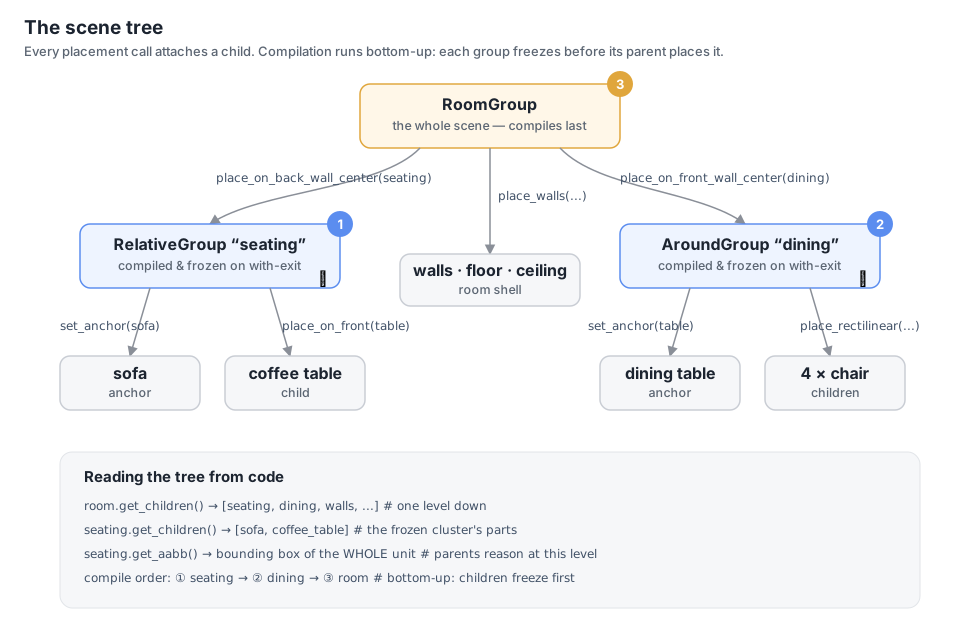
group.childrenreturns the direct children (which may themselves be groups).group.get_children()returns all leaf objects beneath a group, flattened.group.get_aabb()returns the union bounding box of the entire subtree.
So a group is simultaneously a container (it has children) and an object (it has a location, rotation, and bounding box). That duality is what lets you treat a finished cluster as a single placeable item.
Record → replay → freeze
Inside a group’s with block, place_* calls do not run immediately — each one is appended to the group’s operation tape. Nothing moves until the block closes; then everything happens at once, in a sensible order:
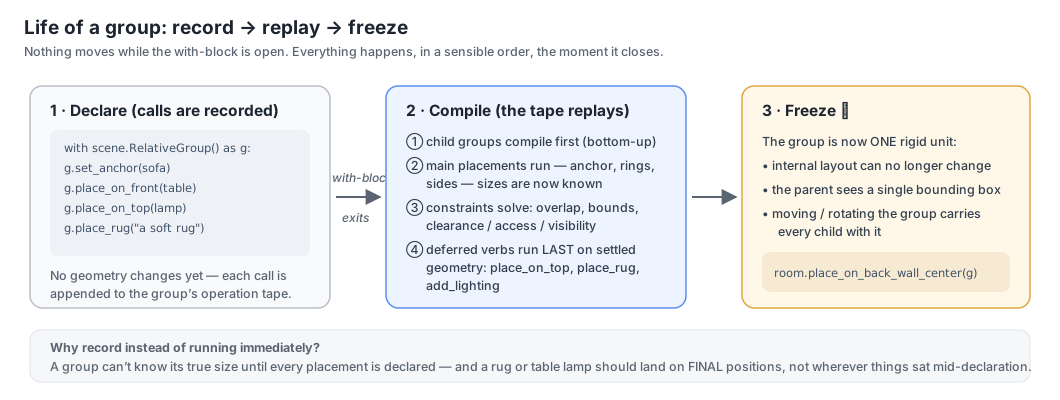
Why record instead of running immediately? Two reasons, both visible in the diagram:
- A group can’t know its own size mid-declaration. Only after every placement is declared can it compute its true bounding box — which its parent needs before it can be positioned.
- Some verbs must run last.
place_on_top,place_rug, andadd_lightingare deferred to the end of compilation, so a lamp lands on the nightstand’s final position and a rug spans the cluster’s final footprint — even if the solver moved things in between.
You don’t manage any of this yourself. The mental model is simply: declare intent inside the block, get a finished, frozen unit out.
Freezing: a compiled group is one rigid unit
After compiling, the group freezes (is_frozen_group = True). A frozen group:
- has a fixed internal layout (its members won’t move relative to each other),
- exposes a single bounding box spanning all its members,
- can be translated, rotated, and placed exactly like a single asset.
# build a seating cluster — it freezes when the block closes
with scene.RelativeGroup() as seating:
    sofa  = scene.AddAsset("a modern gray sofa")
    table = scene.AddAsset("a wooden coffee table")
    seating.set_anchor(sofa)
    seating.place_on_front(table)

# now hand the whole cluster to the room as if it were one object
with scene.RoomGroup() as room:
    room.place_on_back_wall_center(seating, facing="front")
Bottom-up compilation
Groups compile inside-out — the numbered badges in the scene-tree diagram above show the order. When the outer group compiles, every inner group is already a finished, frozen unit:
seatingcompiles first (itswithblock closes first): sofa + table are laid out, overlap/proportions are resolved, and the cluster freezes.roomthen compiles: it seesseatingas a single rigid block with one bounding box.
Hierarchical optimization
This is the key consequence: the room optimizes groups, not loose objects. When the room’s overlap and out-of-bounds solver runs, it moves each frozen sub-group as a whole — the sofa and its coffee table travel together and never separate. The solver uses the group’s union bounding box for collision and boundary tests, so an entire seating cluster is kept clear of an entire dining cluster, without the solver ever needing to reason about the individual chairs inside them.
The scene below places two independent clusters in one room — a sofa + coffee-table RelativeGroup against the back wall and an AroundGroup dining set against the front wall. Each was optimized internally first, then positioned as a unit at the room level. The video shows the room-level solve as it actually ran: watch the clusters move as rigid blocks.
with scene.AroundGroup() as dining:
    table = scene.AddAsset("a large rectangular dining table")
    chair = scene.AddAsset("an elegant dining chair")
    dining.set_anchor(table)
    dining.place_rectilinear(longer_side1=2 * chair, longer_side2=2 * chair)

with scene.RelativeGroup() as seating:
    sofa   = scene.AddAsset("a modern gray sofa")
    coffee = scene.AddAsset("a wooden coffee table")
    seating.set_anchor(sofa)
    seating.place_on_front(coffee)

with scene.RoomGroup() as room:
    room.place_on_back_wall_center(seating, facing="front")
    room.place_on_front_wall_center(dining, facing="back")
Reusing a cluster
Because a frozen group is a self-contained unit, you can duplicate it with the * operator just like a single asset — handy for symmetric layouts such as identical nightstands on both sides of a bed:
with scene.RelativeGroup() as nightstand_area:
    nightstand = scene.AddAsset("a small wooden nightstand with a drawer")
    lamp       = scene.AddAsset("a modern table lamp with a white shade")
    nightstand_area.set_anchor(nightstand)
    nightstand_area.place_on_top(lamp)

with scene.RelativeGroup() as bed_area:
    bed = scene.AddAsset("a queen-sized bed with a wooden frame")
    bed_area.set_anchor(bed)
    bed_area.place_on_back_left(nightstand_area)
    bed_area.place_on_back_right(1 * nightstand_area)   # a fresh copy of the cluster
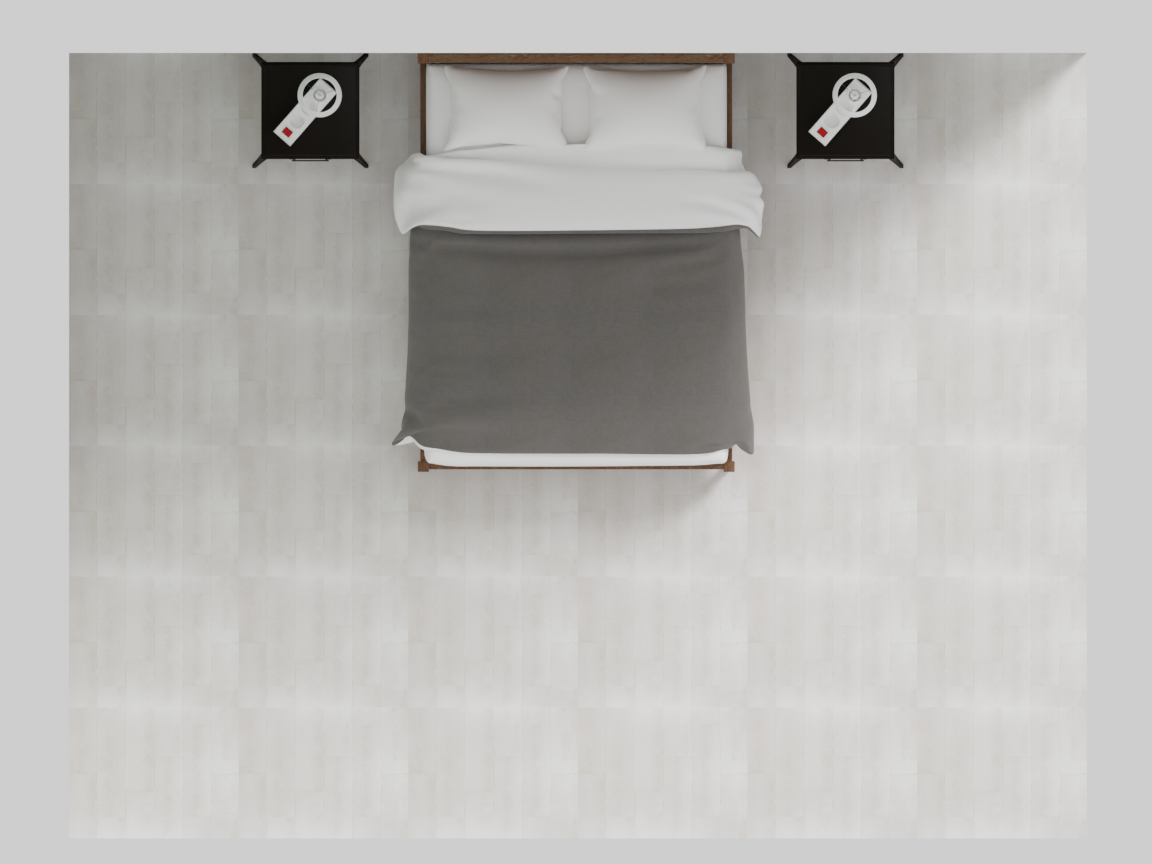
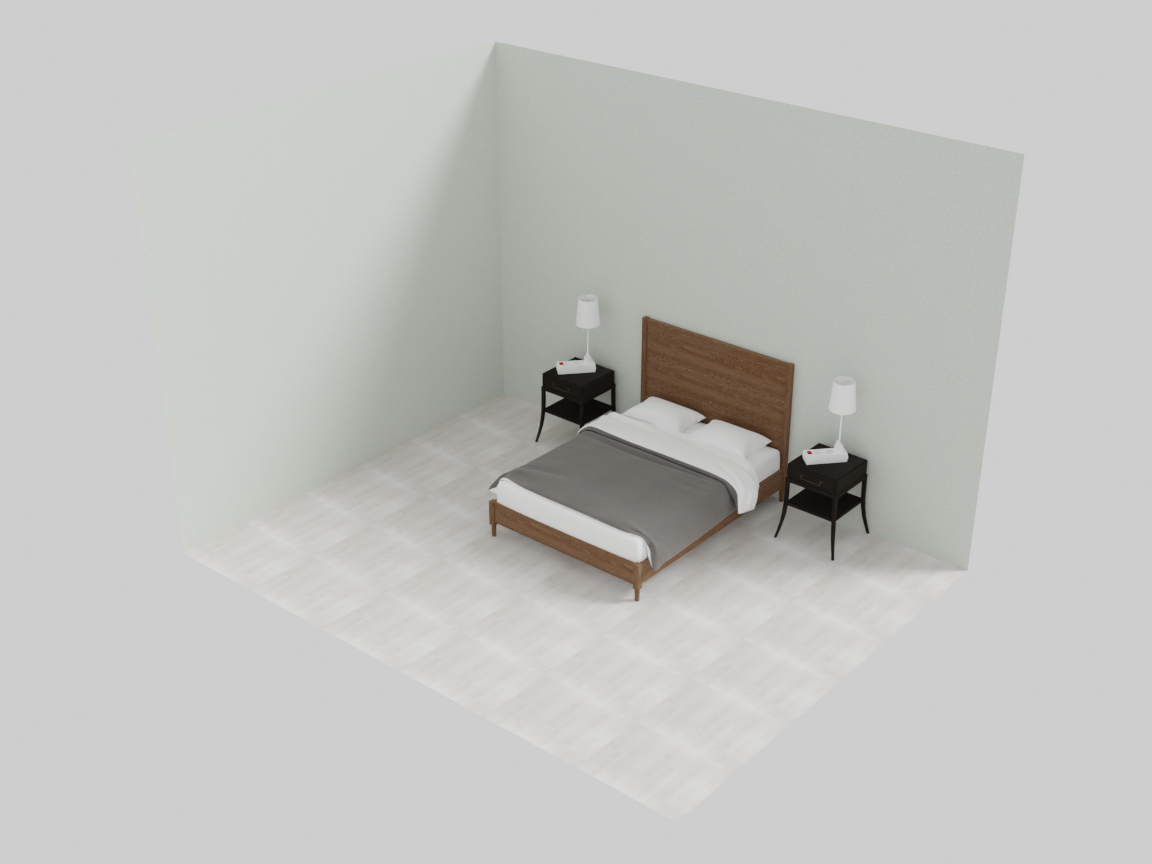
The same nightstand + lamp cluster appears on both sides of the bed — declared once, copied like an asset.
Next: the solver that runs at every level of this tree is described in Constraints & Optimization — or jump straight to the gradient constraints it enforces.