VLM Constraints
Some design judgments can’t be made from bounding boxes alone. Is the coffee table ridiculously large next to the sofa? Does the room feel cavernous around a single seating cluster? Do two pictures fight for the same patch of wall? VLM constraints answer these by rendering the scene and asking a vision-language model.
Each VLM constraint renders the relevant view(s), sends them to the model with a focused prompt, and records the verdict on scene.vlm_feedback — a plain-text log that accumulates across every group in the scene. The constraints never silently mutate your scene: the verdicts are instructions (rescale coffee table by 0.8, a wall-slot conflict report, or no rescale when everything looks right), and acting on them is up to your program — exactly what every demo on this page does, using the real verdicts captured from the runs that produced the renders.
# verdicts accumulate here during compile:
print(scene.vlm_feedback)
These constraints run automatically when the relevant group compiles — object proportions for anchored groups, room proportions and wall overlap for rooms. They require a configured vision-language model, are slower than gradient constraints, and their judgments carry the usual model noise: the same scene can draw a slightly different verdict on a different run.
ObjectProportionsConstraint
Renders an anchored group from four sides and asks the model whether any object is clearly too large or too small relative to the others — a lone object can’t be out of proportion, but a coffee table three times the size of its own sofa can. The model replies with rescale instructions such as rescale coffee table by 0.8 (or no rescale).
with scene.RelativeGroup() as seating:
    sofa = scene.AddAsset("a modern gray sofa")
    table = scene.AddAsset("a chunky rustic coffee table",
                           modulate_scale=3.0)   # arrives comically oversized
    lamp = scene.AddAsset("a slim brass floor lamp")
    seating.set_anchor(sofa)
    seating.place_on_front(table)
    seating.place_on_right(lamp)
On the left, the VLM pass is muted and the giant table survives. On the right, the constraint judged the four-side renders during compile; applying each returned factor and re-judging until the model was satisfied took the table from 3.6 m wide to 1.38 m:
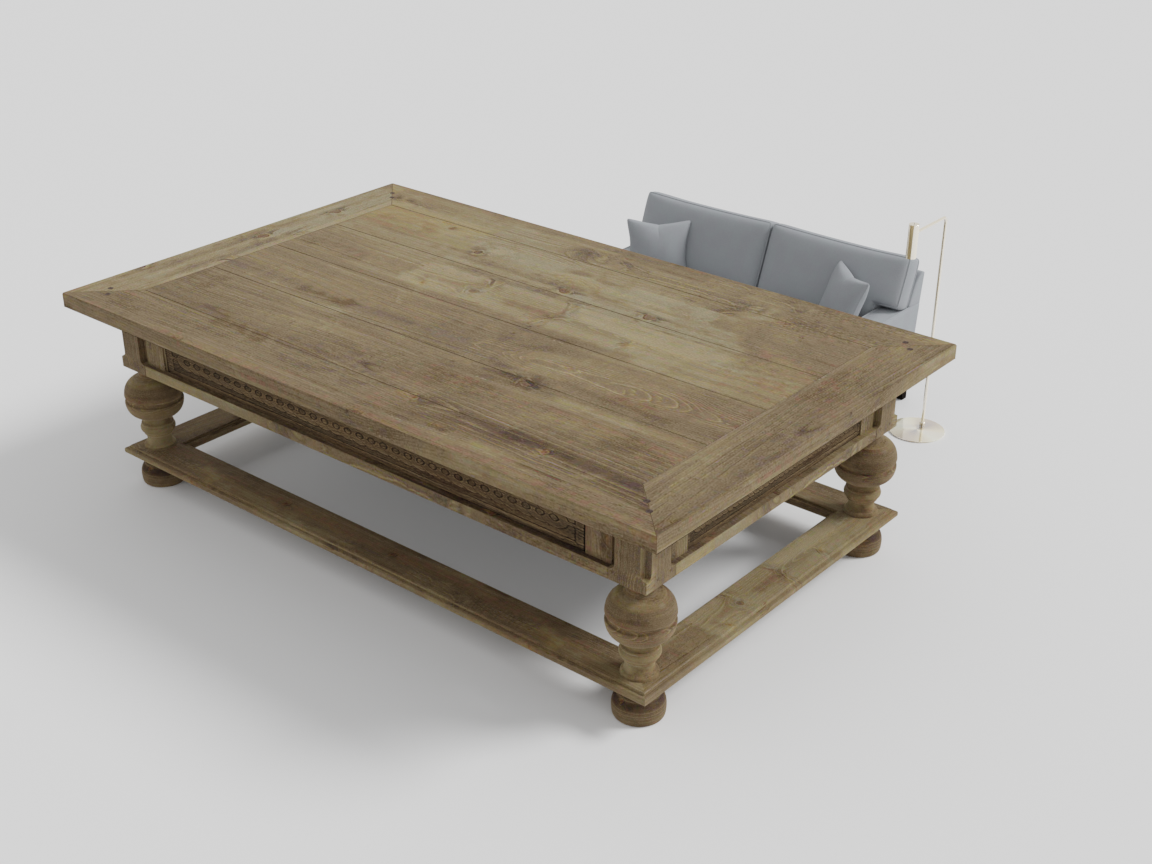
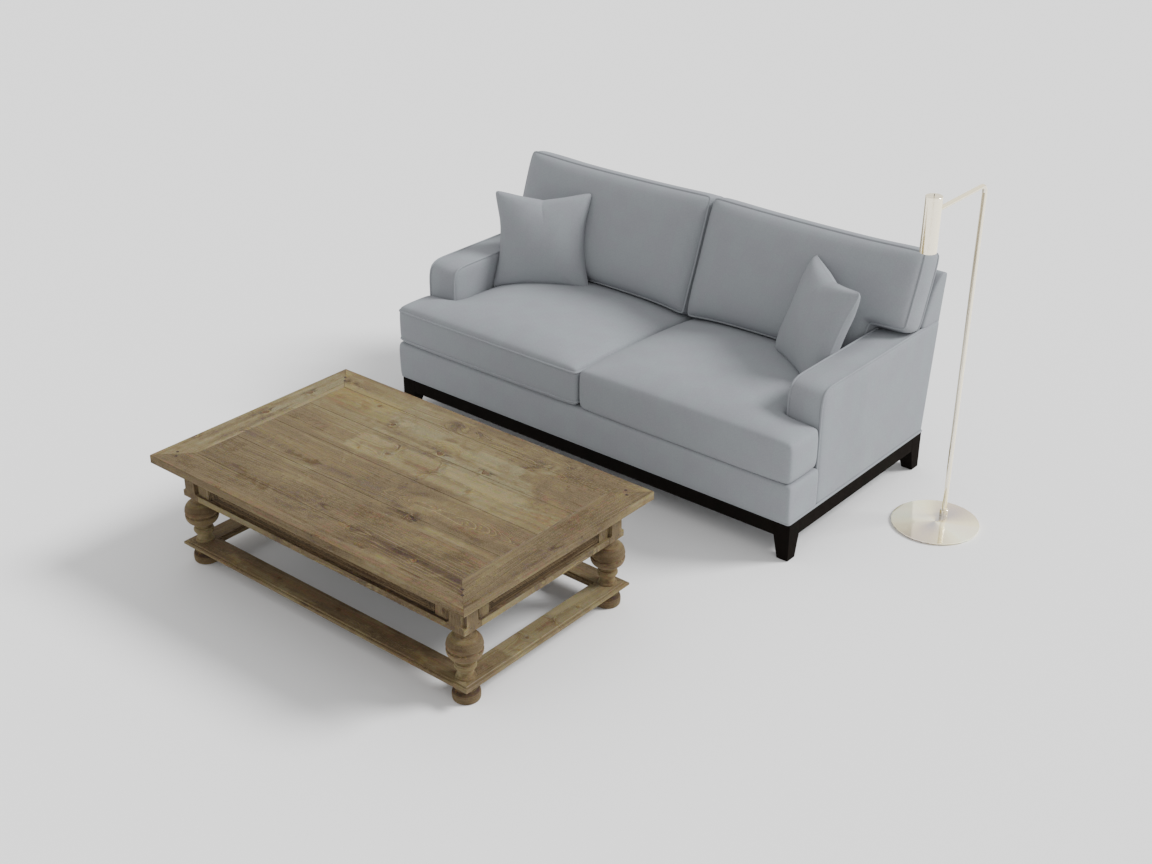
Left: the 3× coffee table next to its own sofa. Right: after the model's verdicts were applied and re-judged.
The verdicts the model produced during that run (verbatim — one line per judge-apply round, ending when it was satisfied):
[ObjectProportionsConstraint] rescale coffee table by 0.8
[ObjectProportionsConstraint] - rescale coffee table by 0.8
[ObjectProportionsConstraint] - rescale coffee table by 0.6
[ObjectProportionsConstraint] no rescale
Runs automatically when a RelativeGroup or AroundGroup compiles, and writes its verdict to scene.vlm_feedback for your program to act on (parse the factor, obj.scale(...), recompile — as above).
RoomProportionsConstraint
Renders the room interior and considers both its appearance and its occupancy ratio (the fraction of floor area covered by furniture — around 0.4 reads as comfortable). The model responds with a room rescale instruction so the room suits its contents. It complements the modulate_scale parameter: modulate_scale is your explicit size preference, this constraint is the sanity check on the result.
with scene.RoomGroup(modulate_scale=1.8) as room:   # deliberately cavernous
    sofa = scene.AddAsset("a modern gray sofa")
    table = scene.AddAsset("a wooden coffee table")
    room.place_on_back_wall_center(sofa, facing="front")
    room.place_on_center(table)
    room.place_walls(
        floor_texture="light oak wood floor",
        ceiling_texture="smooth white ceiling",
        wall_texture="warm off-white painted wall",
    )
The constraint judged the 1.8× room and answered (verbatim):
[RoomProportionsConstraint] rescale room by 0.5
Rebuilding with that factor applied (modulate_scale=1.8 * 0.5) produces the room on the right; re-judged, the corrected room’s verdict settled at rescale room by 0.88 — within noise of “leave it alone”:
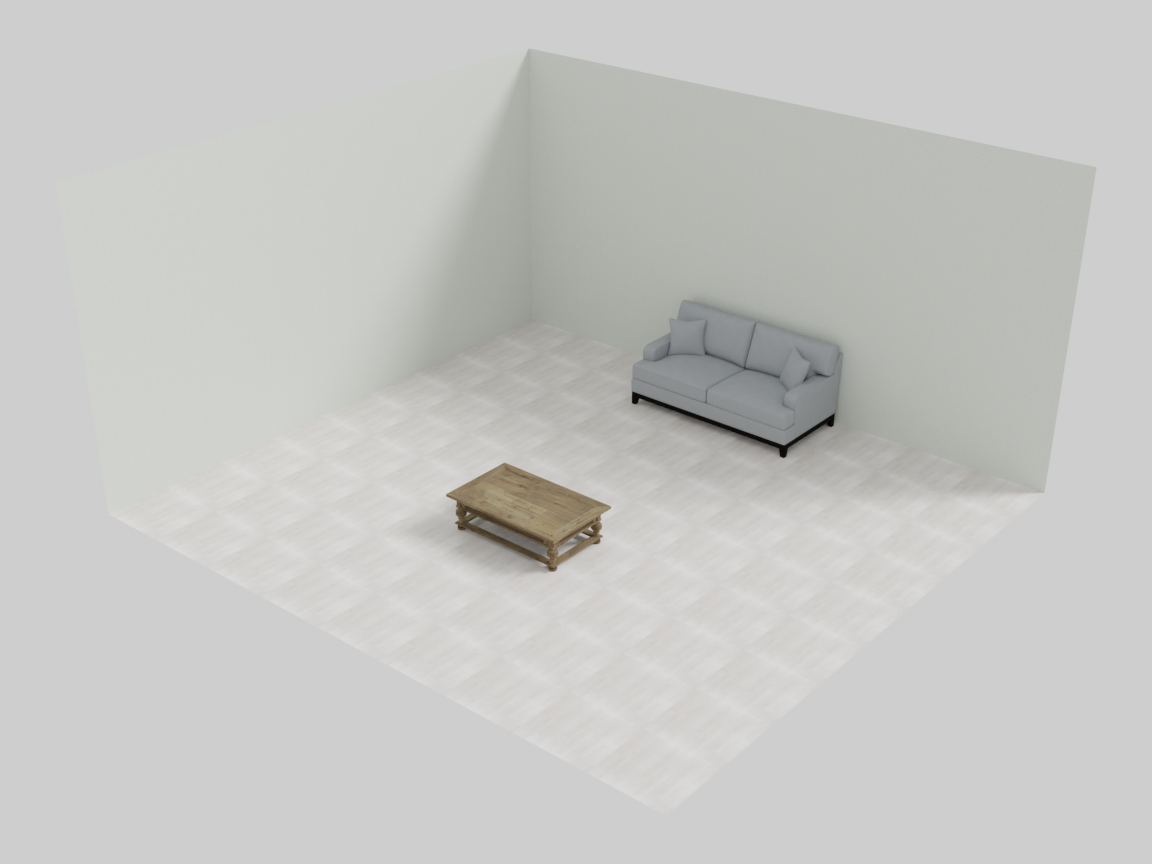
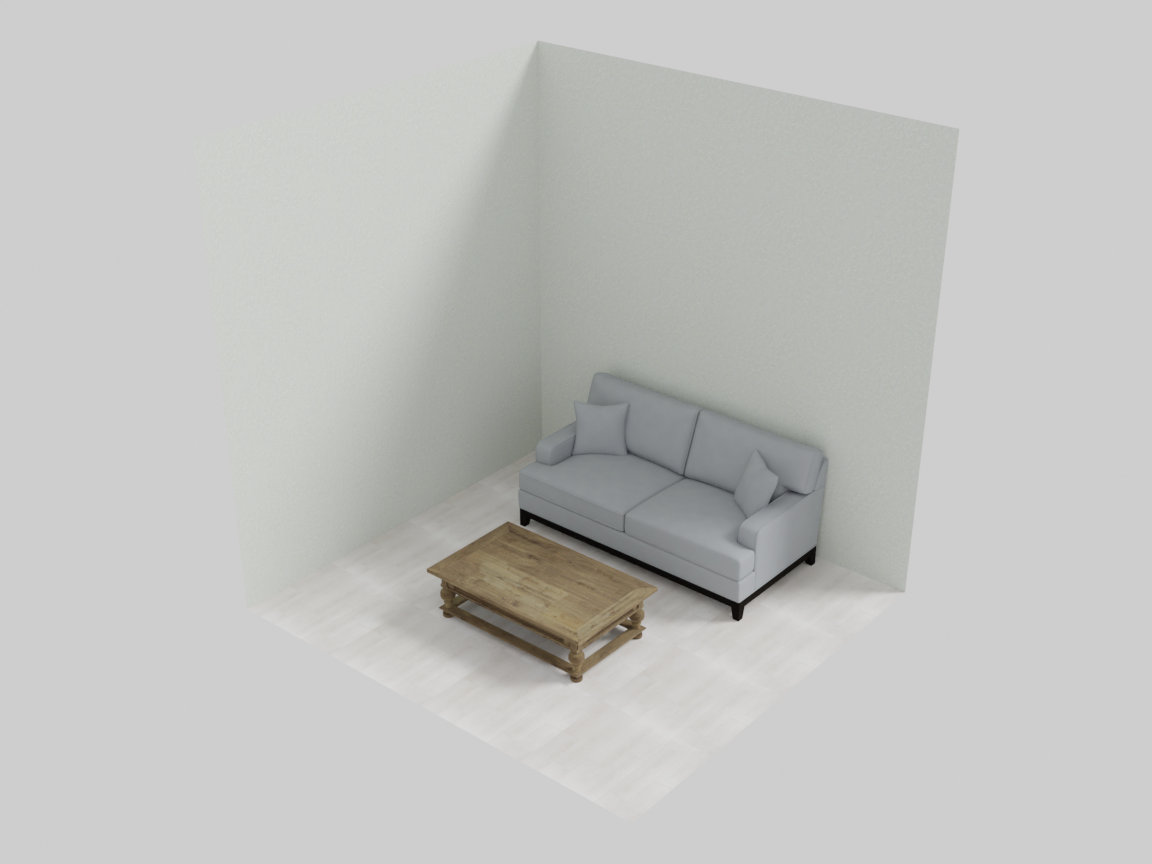
Left: the 1.8× room the model judged. Right: rebuilt with the model's own 0.5 factor.
Runs automatically when a RoomGroup compiles.
WallOverlapConstraint
Checks that wall-mounted objects don’t collide. The room tracks which objects occupy each wall slot (left, center, right on each of the four walls); if two objects land in the same slot — or their boxes actually intersect — this constraint writes a report describing the conflict and the current occupancy of every slot. It is deterministic (pure geometry, no model call), but reports through the same scene.vlm_feedback channel.
with scene.RoomGroup() as room:
    console = scene.AddAsset("a low wooden media console")
    room.place_on_back_wall_center(console, facing="front")
    painting = scene.AddAsset("a large colorful abstract painting")
    mirror = scene.AddAsset("a round framed wall mirror")
    room.place_on_wall_back_center(painting)
    room.place_on_wall_back_center(mirror)    # same slot — they collide
    room.place_walls(
        floor_texture="light oak wood floor",
        ceiling_texture="smooth white ceiling",
        wall_texture="warm off-white painted wall",
    )
The feedback the compile produced (verbatim, placement table trimmed to the occupied wall):
There are overlaps found on wall placements:
back_wall slot 'center' has multiple occupants: 'a large colorful abstract painting', 'a round framed wall mirror'.

Current wall placements are:

back_wall: left -> empty
back_wall: center -> a large colorful abstract painting, a round framed wall mirror
back_wall: right -> empty
...

Consider moving overlapping assets to different wall positions to resolve these overlaps.
Moving the mirror to the free slot it points at — room.place_on_wall_back_right(mirror) — separates the two, and the same compile then reports no wall overlap:
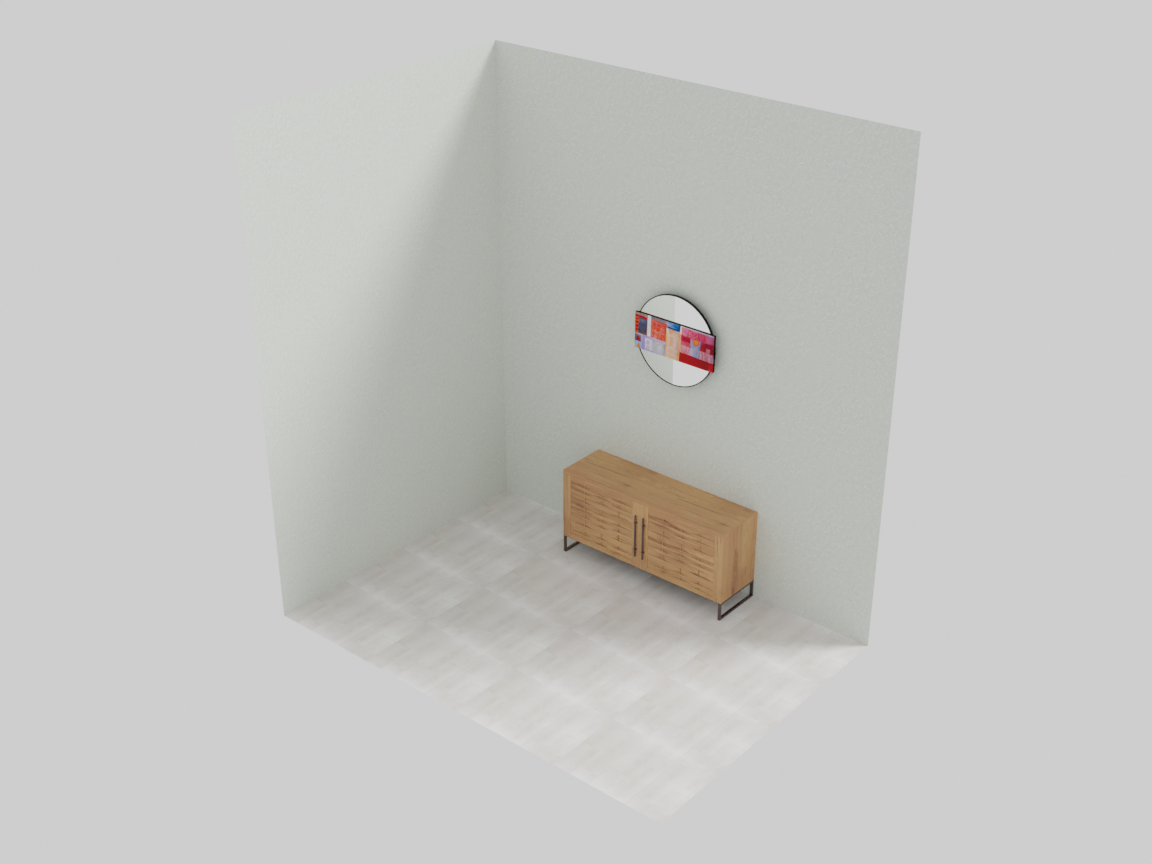
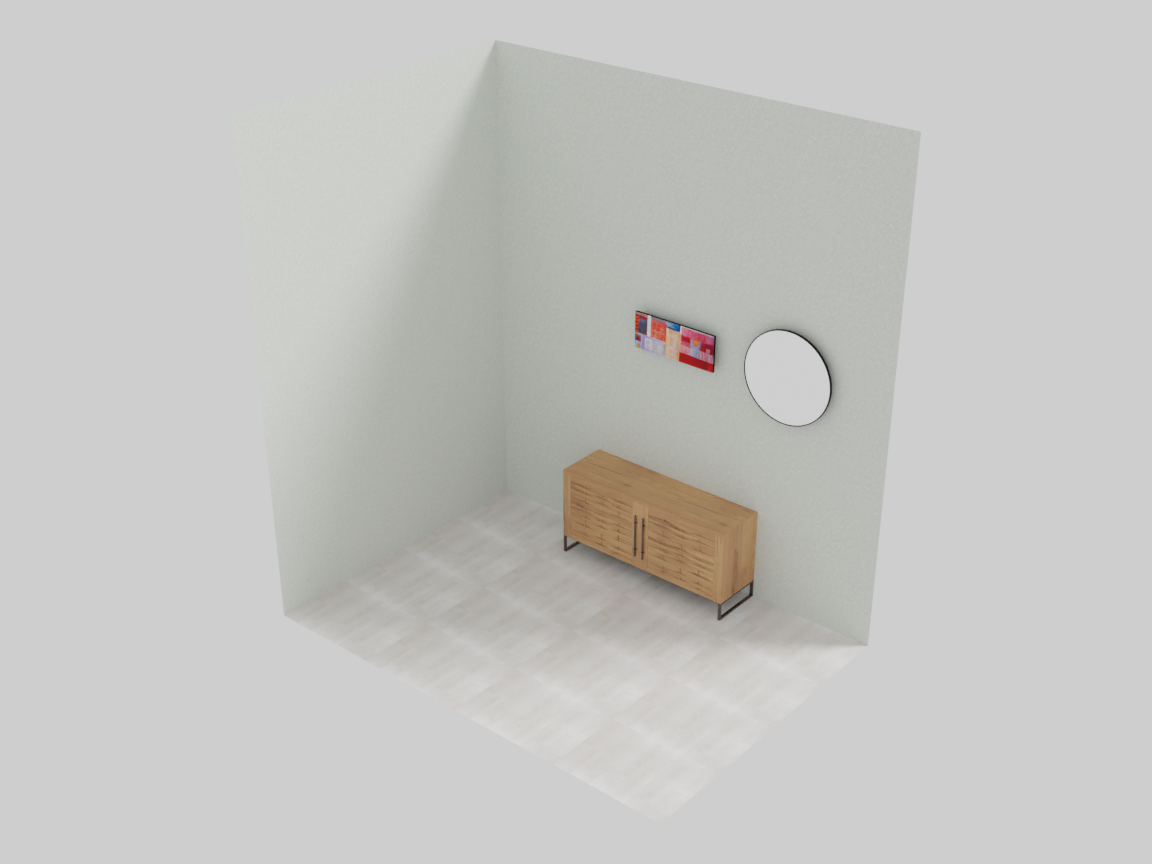
Left: both artworks sent to back-center slice through each other. Right: the mirror moved to the right slot, as the feedback suggests.
Runs automatically when a RoomGroup compiles.
Working with feedback
All of the above meet in one loop you can drive yourself: build → read the feedback → apply the fix → rebuild. Here is the full pipeline on a dining room deliberately squeezed to 0.7×:
with scene.AroundGroup() as dining:
    table = scene.AddAsset("a large rectangular dining table with a dark wood finish")
    chair = scene.AddAsset("an elegant dining chair with a cushioned seat")
    dining.set_anchor(table)
    dining.place_rectilinear(longer_side1=2 * chair, longer_side2=2 * chair)

with scene.RoomGroup(modulate_scale=0.7) as room:   # too tight for the set
    room.place_on_center(dining)
    room.place_walls(
        floor_texture="light oak wood floor",
        ceiling_texture="smooth white ceiling",
        wall_texture="warm off-white painted wall",
    )
1 — the compile detects the problem. The chairs end up pressed against the walls:
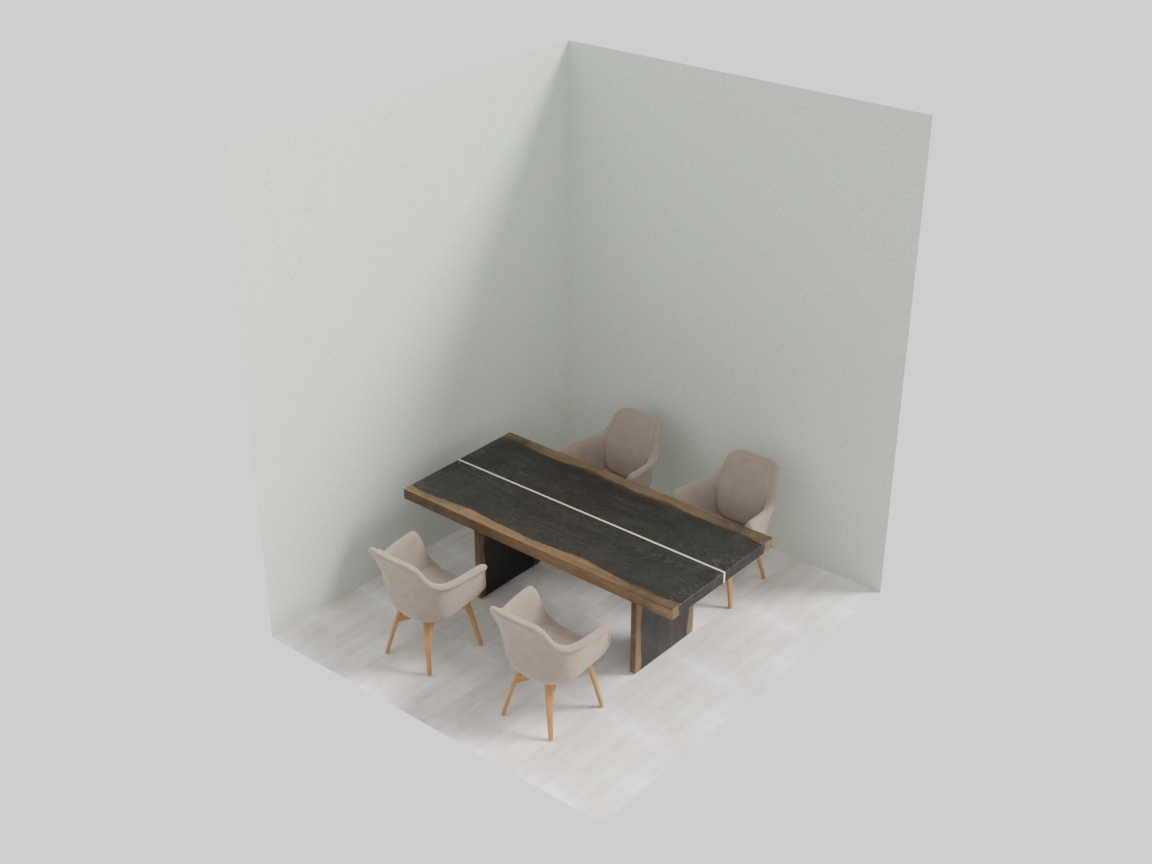
The 0.7× room: chairs against the walls, no circulation space.
2 — read what the model said. scene.vlm_feedback after that build (verbatim — the dining group’s own checks passed; the room check did not):
no rescale
no rotation
rescale room by 1.3
no rotation
no wall overlap
3 — apply the fix and rebuild. Act on the one instruction, keeping your own code in charge of the change:
with scene.RoomGroup(modulate_scale=0.7 * 1.3) as room:   # the model's factor
    ...
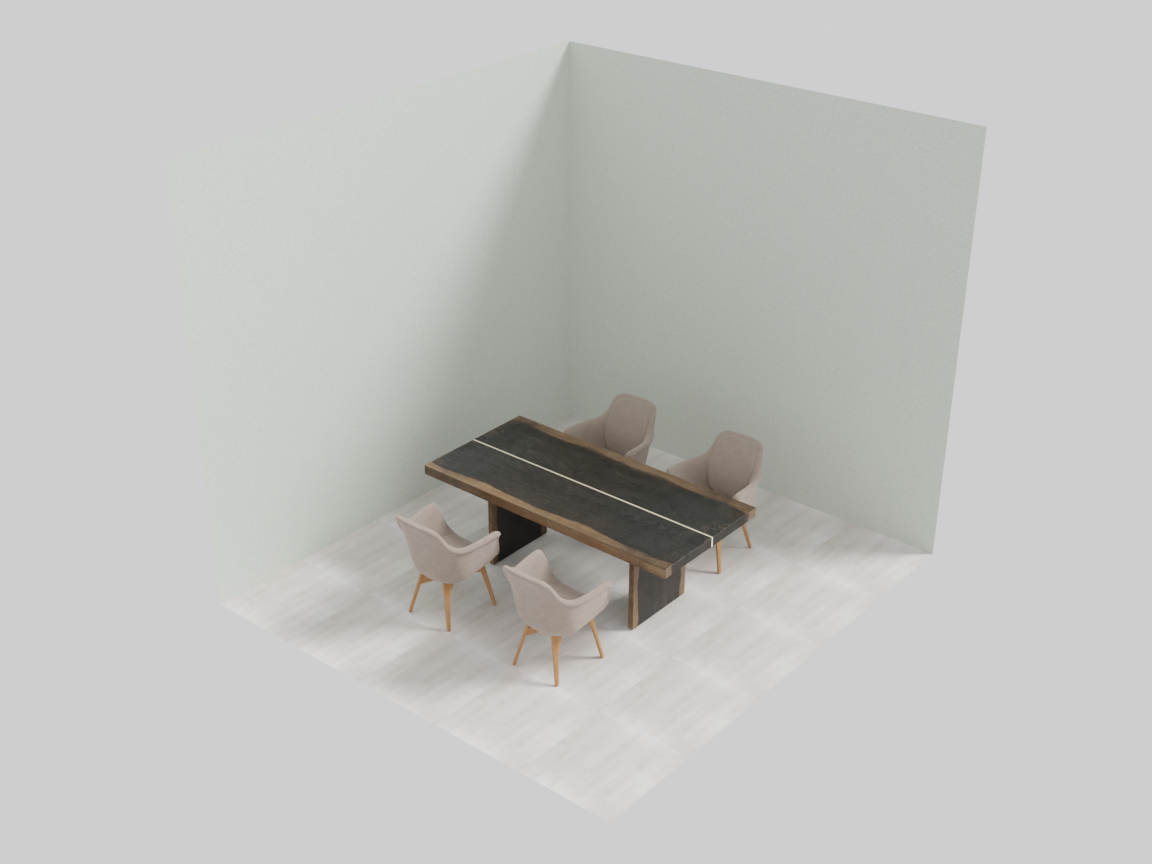
Rebuilt at 0.7×1.3: the set breathes again.
Re-judged, the corrected room comes back clean (verbatim):
[ObjectProportionsConstraint] no rescale
[RoomProportionsConstraint] no rescale
This makes the VLM layer useful both as an automatic critic during compile and as an advisory signal you can act on in your own program — or surface to an end user.
Writing your own VLM constraint
A VLM constraint is the same class shape as a custom gradient constraint with one attribute changed and one contract swapped: self.type = "VLM" routes the instance into group.vlm_constraints, and compute_gradients() — yes, the same method name — returns a string instead of writing to obj.grad.
from sceneprogllm import LLM
from IDSDL.constraints import ConstraintBase


class ColorHarmonyConstraint(ConstraintBase):
    """Ask the model whether the group's finishes clash."""

    def __init__(self, group):
        self.name = "ColorHarmonyConstraint"
        self.type = "VLM"                       # -> group.vlm_constraints
        self.VLM = LLM(system_desc="""
You are given an image showing front, right, back, left renders of one furniture group.
Judge whether the materials and colors of the objects sit together.
If one object clashes, respond with a single line like:
- restyle coffee table to a warm oak finish
If everything reads as one palette, respond with:
no clash
Do not output anything else.
""")
        super().__init__(group)

    def compute_gradients(self):
        render = self.group.render()            # -> path to a 4-view strip
        objects = self.group.get_descriptions()
        return self.VLM(
            f"The group contains: {objects}\nDo any of the finishes clash?",
            image_paths=[render],
        )
Where the renders come from. The constraint asks the group for them; nothing is handed in. self.group.render() renders the group from the four edge midpoints and returns the path to a single horizontally-stacked strip — the image every built-in VLM constraint sends. A RoomGroup also offers render_interior_combined() (interior cameras, what RoomProportionsConstraint falls back to, since exterior cameras of a closed room only see the outer box) and compute_occupancy_ratio(). get_descriptions() returns the group’s object descriptions so the prompt can name what the model is looking at.
What the return value does. VLMSolver walks group.vlm_constraints, calls compute_gradients() on each, drops None and empty replies, and appends the rest to scene.vlm_feedback, newline-separated. That is the entire effect: the verdict is advisory text, and the engine never acts on it. Nothing is rescaled, moved, or re-rendered on your behalf — reading the feedback and deciding what to do is your program’s job, exactly as in Working with feedback above. Return None when a check has nothing to say and it stays out of the log entirely.
self.weight is optional here (the built-in VLM constraints don’t set it and the solver never reads it), but self.name and self.type must be set before super().__init__(group), same as on the gradient side.
Registering it. Identical to a gradient constraint — a hook, because compile() starts with clear_constraints() and would otherwise wipe an instance you created inside the with block:
with scene.RelativeGroup() as seating:
    ...
    seating.add_constraint_hook(lambda g: ColorHarmonyConstraint(g))
The group’s compile() runs its gradient solve first and vlm_optimize() afterwards, so your model sees the settled layout, not the placement you typed. Budget accordingly: each VLM constraint costs a full Blender render plus a model call on every compile, which is why the built-ins are skipped under the minimal-render policy.
Next: see all of it working together in the worked examples, or drive the whole pipeline from an agent via the MCP Quickstart.